
Create document settings
Settings can help you save time when creating individual documents.
Here you can configure settings specific to the invoice portal. These settings will then apply to all new invoices you create in the portal.
note
Please note that any changes made here will not be applied to saved templates however.
- Under General you can set a default due date by entering a numeric value underDays until due.
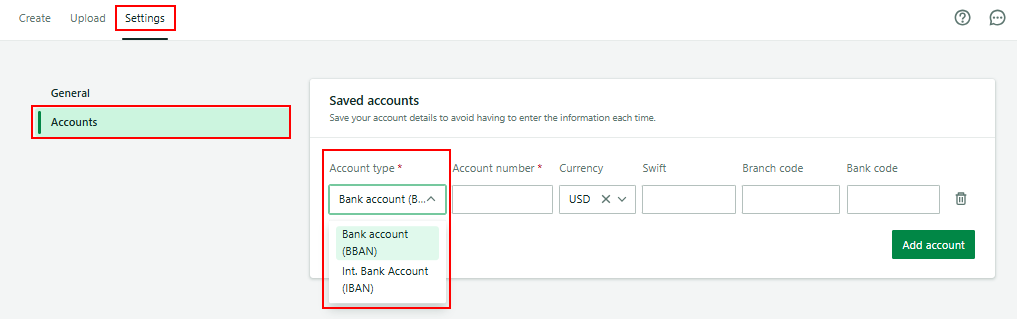
- Under accounts, you can configure your bank accounts. ClickAdd accountto add a new account, then fill in the applicable information.
Related Content
-
Create a document
Format: Article,
6 min read
Article,
6 min read
-
Create document upload
Format:
Article,
1 min read