
Documents
In
Documents
view in Pagero Online, you will find all your sent and received documents. Additionally, here you can manage your erroneous documents as well as see all your past documents that has been rejected or cancelled.Note that this view will only show documents from the past 90 days. Separate eArchive service is needed if you wish to keep older documents.
Accessing the Documents view
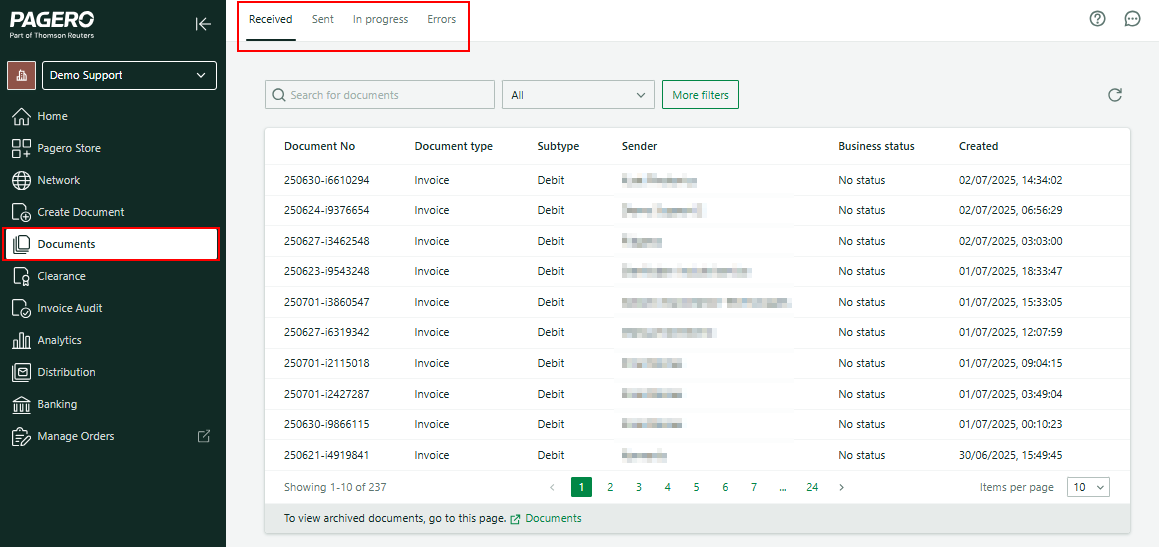
The Documents view is available on the homepage of Pagero Online. Alternatively, you can access it via the
Shortcuts
section, located on the bottom-left part of the Home
page.Once you access the Documents view, you will be presented with 4 sections. You can switch between them using the top dropdown.
- Receivedshows your inbound documents.
- Sentshows your outbound documents. You'll find more information about sent & received documents here.
- In progressdisplays all documents that are being processed, delivered, or need to be handled by the support team.Errorsshows active documents that did not reach the recipient. You will be able to see the error message, and delete or resend the document from this section. Read more about error handling here.
- Cancelledshows documents that have been rejected.
Related Content
-
Sent & received documents
Format: Article,
2 min read
Article,
2 min read
-
Documents errors
Format:
Article,
2 min read