
Switch Watch Window templates in an open plan
There are several ways to switch Watch Window templates when a plan is open.
Select the arrow next to the
Watch Window
button on the main toolbar and select the name of a template.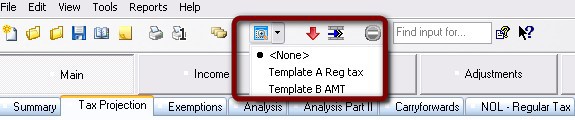
Choose
Tools
, Watch Window
, Show
, then [name of template]
.Right-click anywhere in the main data-entry window and choose
Watch Window
, Show
, then [name of template]
.If the
Watch Window
is open, right-click anywhere in the Watch Window
and choose Show
, then [name of template]
.