
Create a Help Center account
Create a Help Center account to track submitted tickets, access your dashboard, and view request details and status updates.
You can create an account for the
cPaperless Help Center
. With this, you can keep track of all the tickets that you have submitted.- Select theSign inoption on the Help Center homepage.
- This will open a separate window asking for sign-in information. To create the account, selectSign up.
- Enter your full name and email address, then select theSign upbutton.
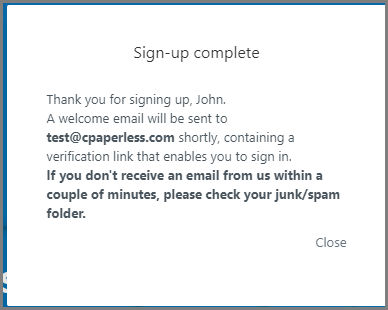
- You'll receive a confirmationSign-up completewindow verifying that you'll receive a welcome email shortly.
- After you've verified your account, you can sign in to the Help Center when submitting a request.
- You'll have access to a Dashboard to view all tickets that you have submitted.
- You can view the following:
- Ticket number
- Subject
- Requester
- Date Requested
- When it was last Updated
- Which Group is working the ticket
- Who is working on your ticket
- You may also request to view everyone within your Organization.
- If this is something that you would like, submit a request to support.