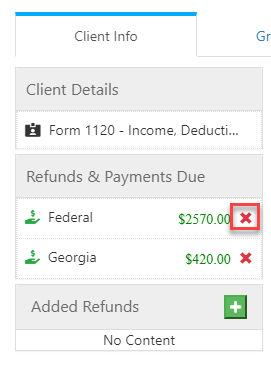
Duplicate federal refund amount in Client Info
Learn why duplicate federal refund amounts appear in Client Info and how to remove the extra entry from Refunds and Payments Due.
A duplicate federal refund amount occurs when a state requires Federal forms to be attached. If the uploaded PDF contains multiple copies of those forms, each one gets pulled.
To remove the duplicate refund:
- Go to .
- Select theXnext to the duplicate refund amount to delete it.