Overpayments, applied amounts and refunds
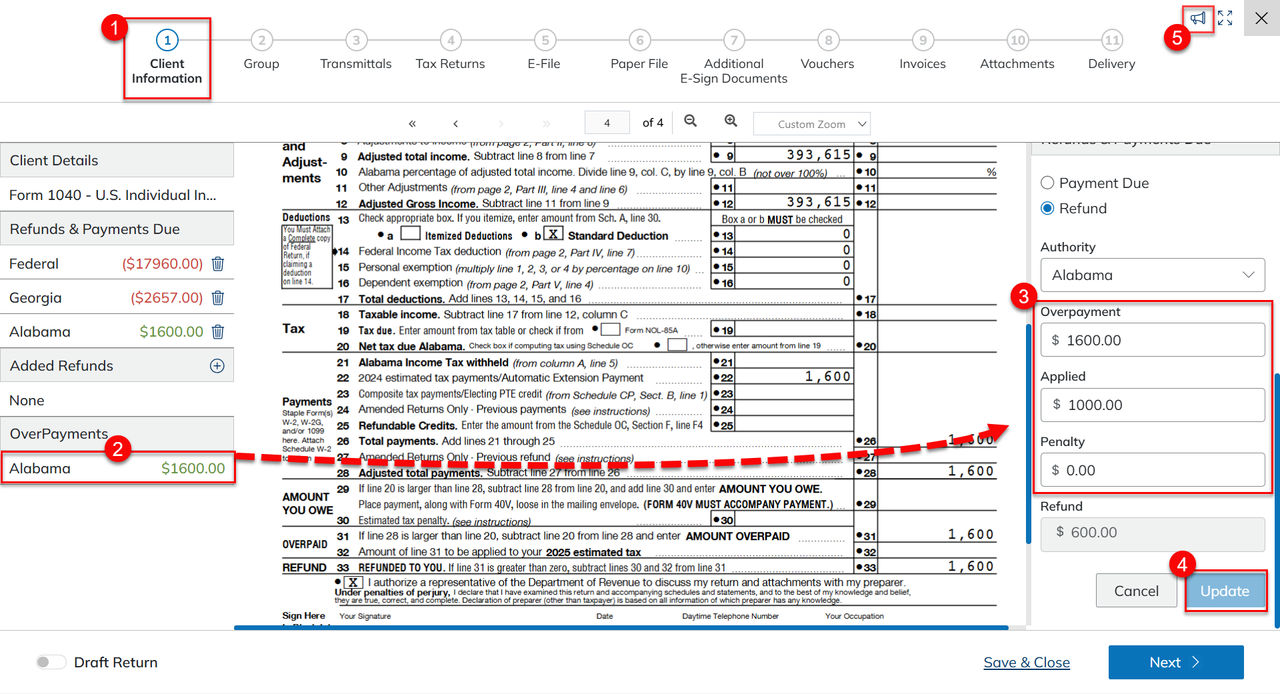
View and adjust overpayments, applied amounts, and penalties in Client Information to update the refund amount during return processing.
Overpayments are shown in
Client Information
while processing a return.note
SafeSend calculates the refund by subtracting applied and penalty amounts from the overpayment. If the refund amount looks incorrect, contact support for assistance.
Refund adjustment
- Go toClient Informationduring processing.
- Select theOverPaymentto be modified.
- The Refunds and Payments Due panel opens.
- Adjust theOverpayment,Applied, orPenaltyas necessary.
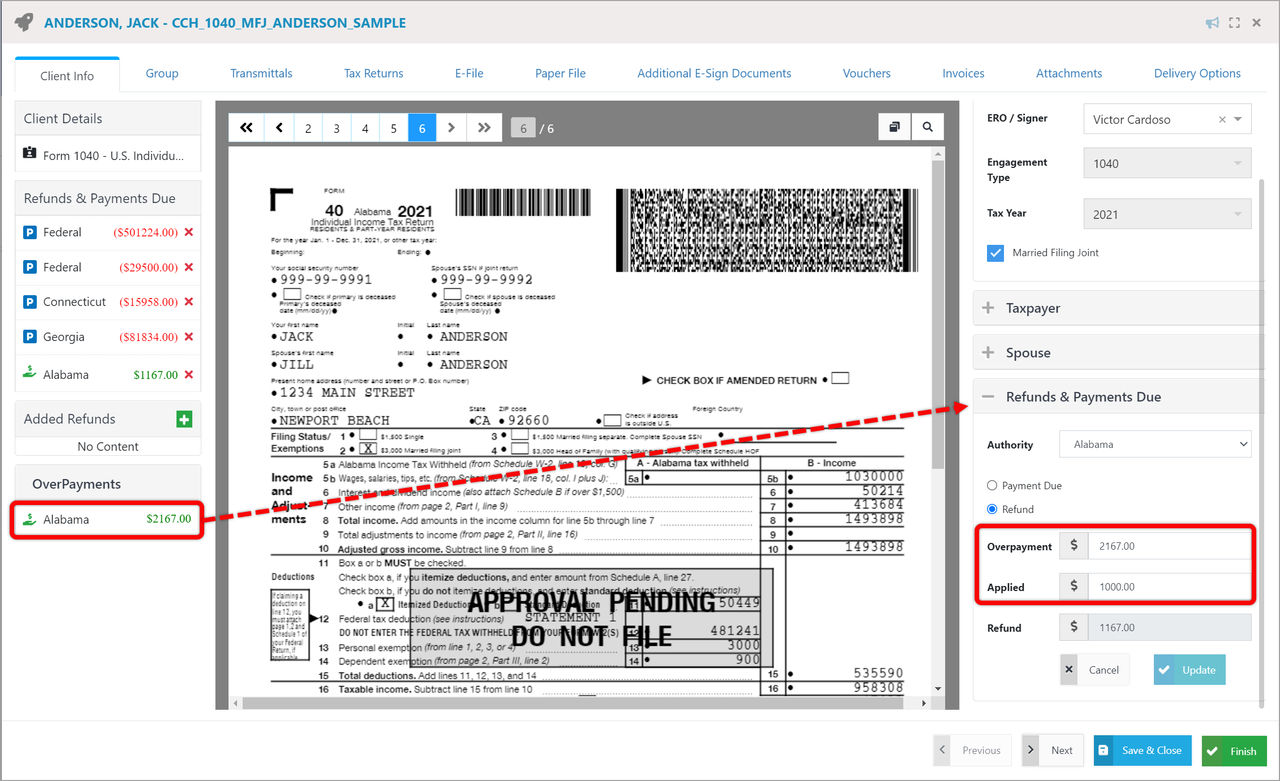
- The refund will be adjusted when the numbers are updated. This field can't be edited.
- SelectUpdate.
- SelectReport a Problemto report any problems with the recognition.