
Reset password
Reset your password from the sign in page, or have an Administrator approve it for locked accounts. SSO firms allow only Administrator password resets.
Show all hidden content.
note
- If your firm usesSingle Sign-Onwith Office365, only Administrators will have a password reset option.
- If you are locked out of your account, and Administrator approves your password reset. You can also wait 15 minutes for the account to unlock.
- Administrators can't approve their own password resets. They should wait 15 minutes or have a different Administrator approve the reset.
Staff
Request password reset link
- Go to the login page.
- SelectForgot your password?.
- Enter yourEmail Address.
- SelectReset Password. You'll receive an email from noreply@safesendreturns.com that contains the reset password link.
Reset your password
- SelectReset your passwordin the password reset email.
- Verify the email address is correct for the account.
- Enter aNew Passwordand verify.
- SelectSubmitto save the new password.
note
A window will appear verifying that your password has been changed successfully. You can now sign in with the new password.
Administrator
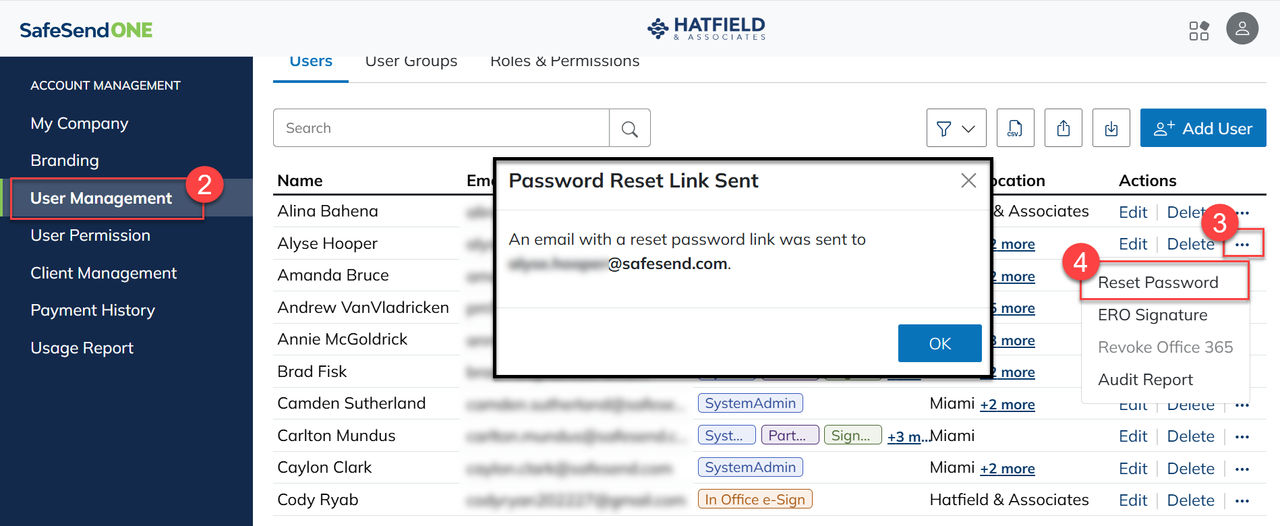
Administrators can send a password reset email to Staff, Partner, or Administrative users.
- Go toAccount Management.
- SelectUser Management.
- Select the ellipses(...) in theActionscolumn.
- SelectReset Password.
Locked account
A user account gets locked when an incorrect password is entered 3 times. When a password reset is requested for a locked account, an Administrator will need to approve the password reset. The user can also wait 15 minutes for the account to unlock, and then reset their password.
Staff/Partner account
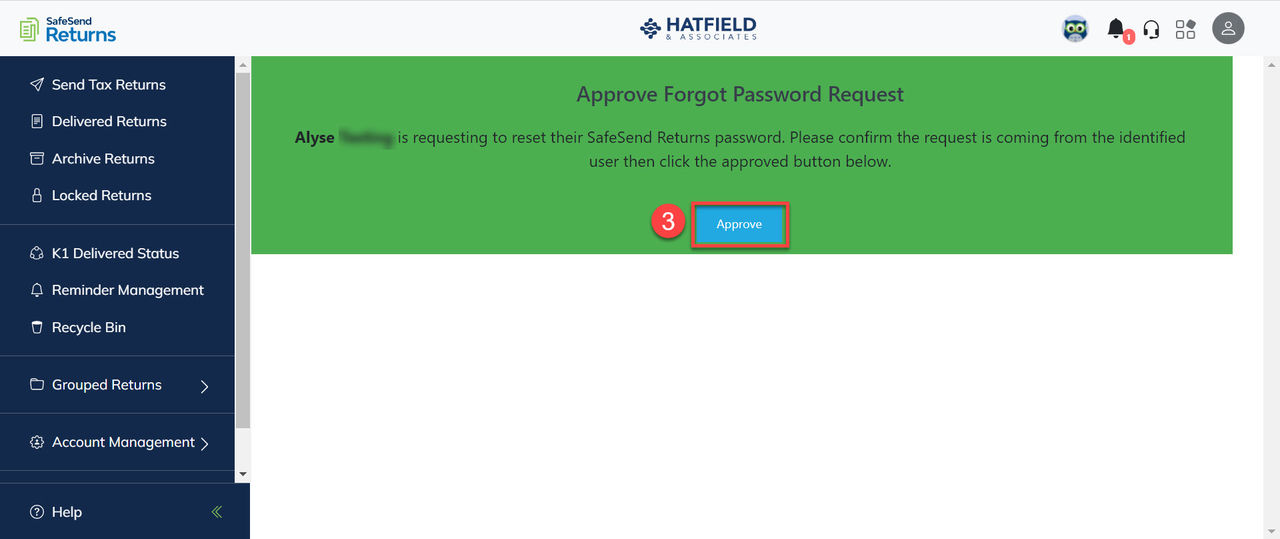
For Staff/Partner users, an Administrator can approve the password reset via email.
- SelectApprove for Passwordin the Request to Reset SSR Password email.
- Sign in to SafeSend Returns.
- SelectApproveto approve the password reset.
Administrator account
When an Administrator's account is locked, an approval password email is still generated, but the locked Administrator can't approve their own password reset. If they attempt to, they’ll get stuck in a reset/approval loop.
Another Administrator on the account would need to approve the reset, or the Administrator can wait 15 minutes for the account to unlock.

