
Purchase additional returns
Learn how administrators can purchase additional SafeSend returns and what happens when your return balance reaches zero.
You can purchase additional returns from SafeSend. If your balance is low, complete the following steps to add more returns to your account.
note
- Only Administrators have access toAccount Managementto purchase returns.
- A zero balance won't turn off your account. You can keep delivering returns. Your balance will show negative, then an invoice will follow.
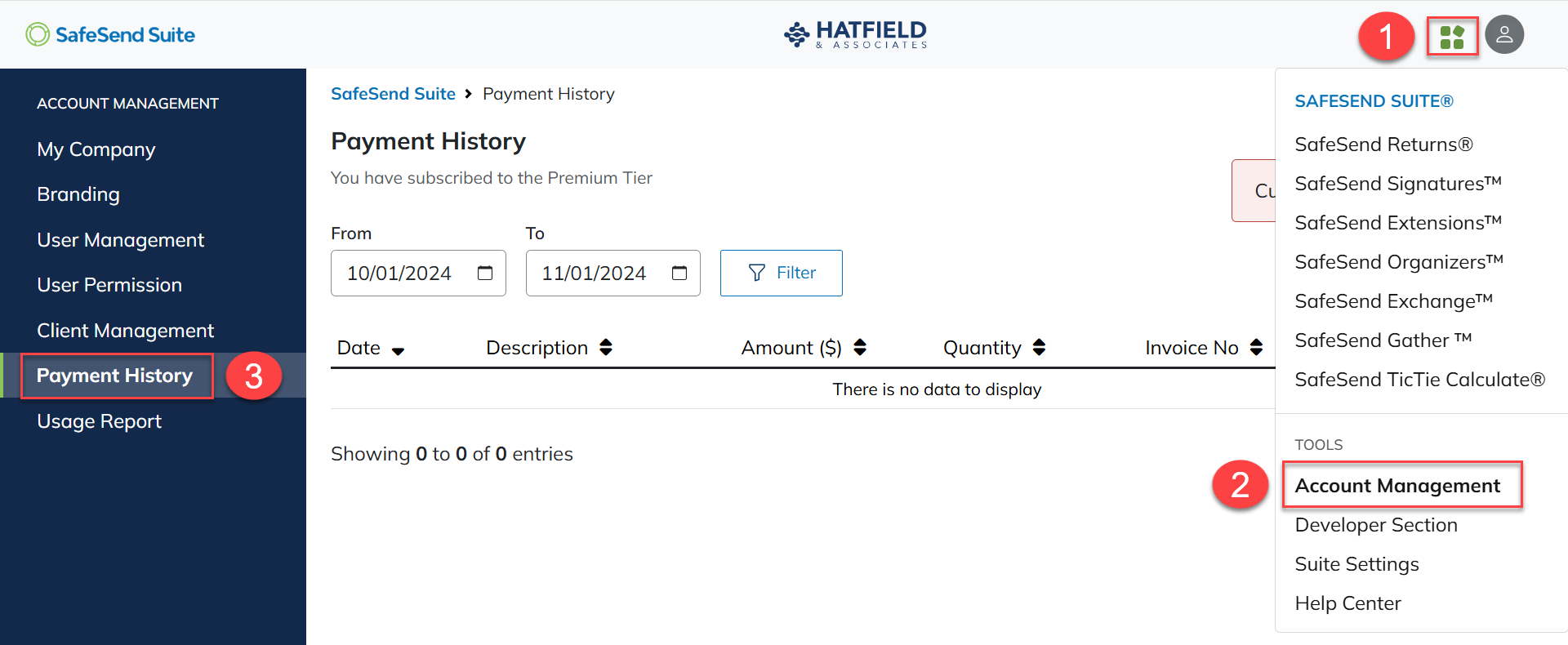
- Select theNavigation Widget.
- SelectAccount Management.
- SelectPayment History.
- SelectPurchase.
- Enter aQuantityto purchase.
- SelectAdd.
- Review the purchase summary, then edit theNumber of Returns.
- SelectNext.

- Review theOrder Summary.
- SelectPay.

- Enter payment details.
- SelectPayagain.
