Extension reminders
When you deliver a return, SafeSend checks for previously delivered extension packages and lets you turn off duplicate voucher reminders.
SafeSend checks whether an extension package has already been delivered for the same client. If a match is found, you can turn off voucher reminders for the previously delivered extension to prevent duplicate reminders and potential duplicate payments.
SafeSend identifies related extension packages by matching the following:
- Tax Year
- Social Security number (SSN) or Employer Identification Number (EIN)
- Return Type
Manage extension reminders
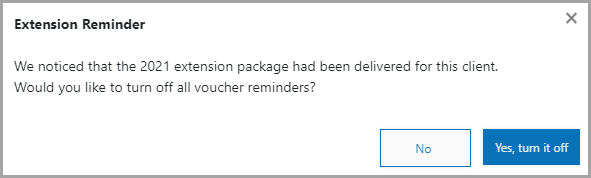
When SafeSend detects a previously delivered extension and you select
Finish
, a window appears with the option to turn off voucher reminders for that extension.Select one of the following options:
- No— leaves voucher notifications on for the extension.
- Yes, turn it off— turns off voucher notifications for the extension.
note
- This option applies to both payment and estimated payment reminders.
- If you turn off extension reminders, the client won’t have aPaysection when accessing the extension, but will still have aPaysection when accessing the return.
- Reminders remain on for the return if the option is turned on in theDelivery Optionstab.