
SMART Analytical Procedures Documentation Form
To add the
SMART Analytical Procedures Documentation Form
to an engagement created that you selected to manage your engagement using external engagement management software:- Open a review engagement. (See Open a Saved Engagement).
- On the left hand navigation pane, click an appendix in the procedures design section.
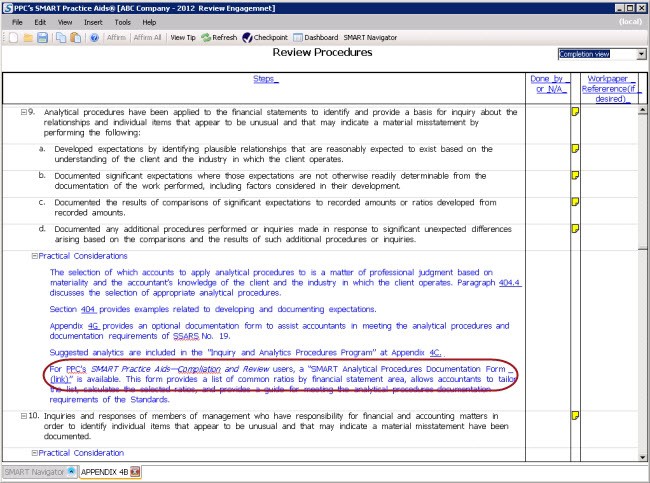
- SelectCompletion viewin the drop-down at the upper right hand corner of the screen. For a clearer view of the procedure, right-clickStepsat the top of the screen and selectExpand All. Scroll through the procedures.
- In one of thePractical Considerations, you will see a link for theSMART Analytical Procedures Documentation Form. Double-click the link to open the form in Excel.

- Complete the form as required. Save and close.
note
If you are using external management software, the only way to add the
SMART Analytical Procedures Documentation Form
is to link from a practical consideration.To add the
SMART Analytical Procedures Documentation Form
to an engagement created that you selected not to manage your engagement using external engagement management software, from the Insert
menu, select Add Forms
, PPC Forms
.