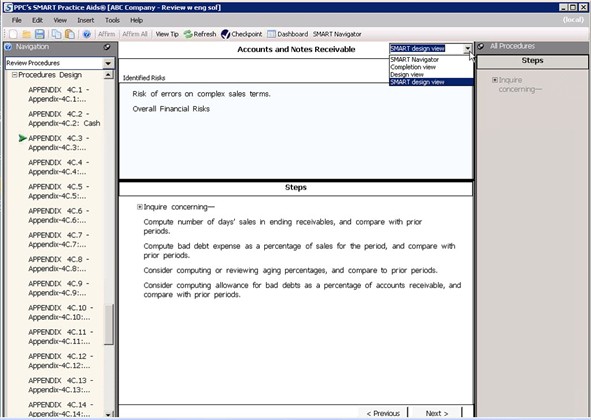
SMART Design View
note
SMART design view will only appear if you have added a risk to the review engagement.
Select
Procedures Design
from the left hand navigation pane and select your procedure form. In the upper right hand corner of the main screen, select SMART design view
.You can edit your procedures and view the risk you had entered in one screen.