
Generate Checklists or Notes
When you have completed creating a disclosure checklist or a set of engagement disclosure notes, you can generate the checklist for the engagement, a document of the engagement notes, or a report of selected and unselected topics.
To generate checklists or notes:
- SelectGenerationfrom the left-hand pane navigation drop-down menu.
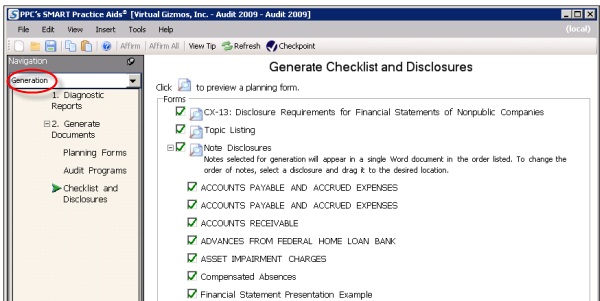
- Select2. Generate Documentsin the left-hand pane and then clickChecklist and Disclosures.The center pane will display the forms available for generation. The first item is the disclosure checklist. TheTopic Listingoption will generate a report of the selected and unselected topics. TheNote Disclosuresoption generates a Word document containing the engagement disclosure notes.
- Select the forms you want to generate by selecting the check boxes next to each title.
- ClickCreate Practice Aids.
- Enter a location to save the generated documents in theCreate Practice Aidswindow and clickOK. The document generation process will begin. A progress meter will display how much of the generation process has been completed.noteFor some older titles, the Disclosure Checklist/Note generation functionality is accessed from Step 4 of the Risk Assessment module.