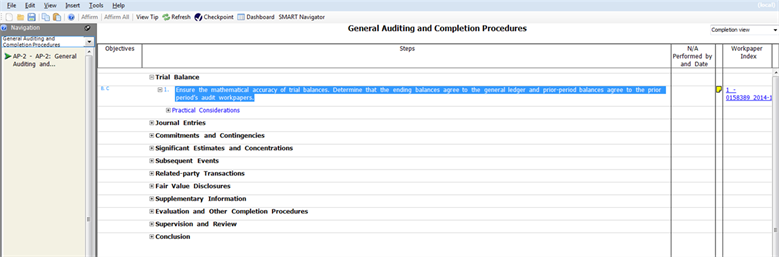
Linking to Workpapers CS Workpaper
In SMART, you have the ability to link to a
Workpaper CS Workpaper
in a SMART Practice Aids planning form or audit program step.Link a SMART Practice Aids Planning Form to an Workpapers CS workpaper
Planning Form
to an Workpapers CS workpaperOpen a client engagement
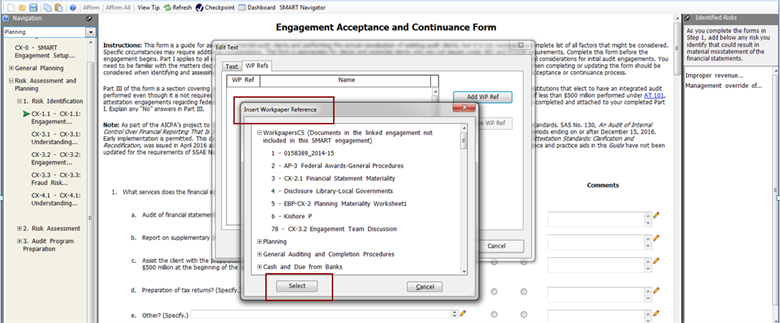
- Right-click in a Planning Form entry field and selectInsert Workpaper Referencefrom the right click menu.
- Click Add WP Ref. TheInsert Workpaper Referencewindow is displayed.
- Expand and select the desiredWorkpaper CS Workpaperand clickSelect.
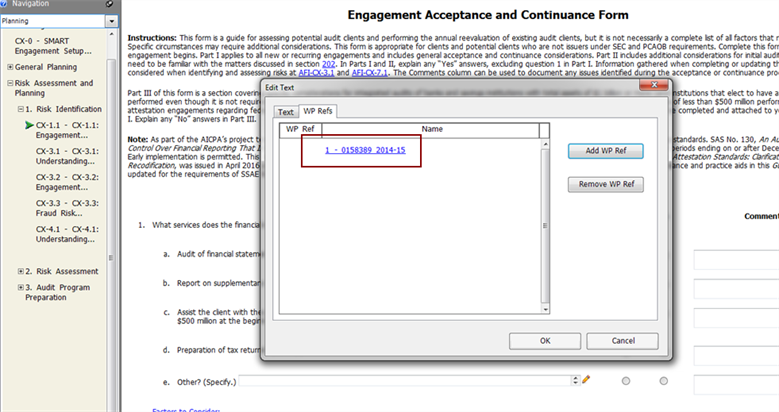
- Click the workpaper reference link to open the workpaper in Workpaper CS.
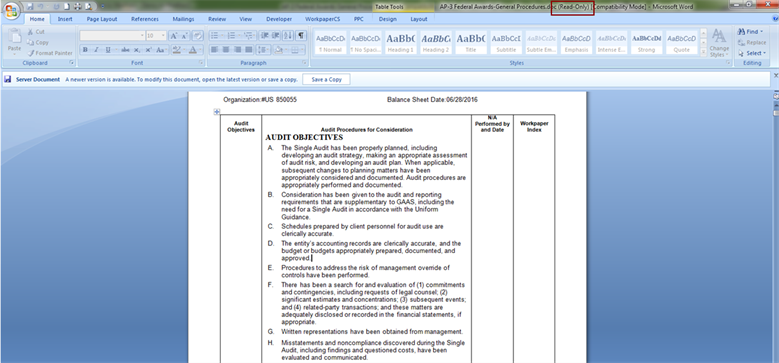
- This opens a read only workpaper in Workpaper CS. Edit the workpaper by opening it from Workpaper CS in edit mode.
- Click the pencil icon
 to open the Edit Textwindow.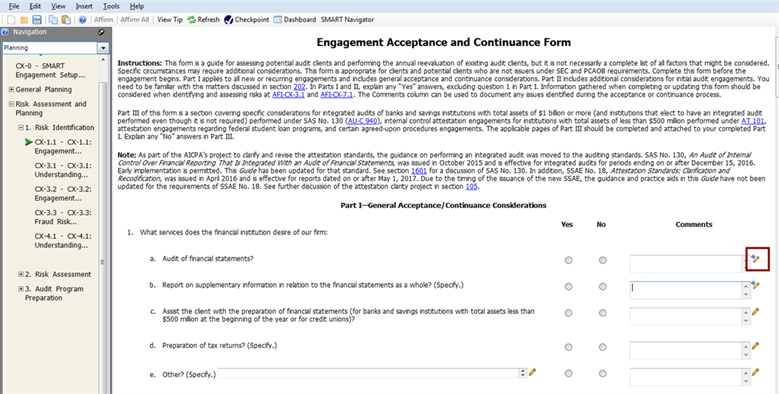
note
The pencil icon with the
+
sign indicates a linked workpaperLink a SMART Practice Aids Audit Program to a Workpaper CS Workpaper
Audit Program
to a Workpaper CS WorkpaperOpen a client engagement
- From an audit program, right-click in theWorkpaper Indexcolumn and selectInsert Workpaper Referencefrom the right click menu. TheInsert Workpaper Referencewindow is displayed.
- Expand and select the desiredWorkpaper CS Workpaperand clickSelect.

- Click the workpaper reference linkonce, to open the read only workpaper in Workpaper CS. Edit the workpaper by opening it from Workpaper CS in edit mode.