
Enter Test Exceptions
If exceptions or control deficiencies are noted during control testing, enter them in the
Enter Test Exceptions
window.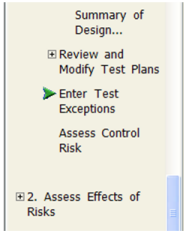
To enter test exceptions:
- On theNavigationpane, expandStep 1 - Identify Risks.
- ExpandInternal Controland clickEnter Test Exceptions.The Enter Test Exceptions window appears.
- Click theAdd Exceptionbutton at the bottom of the window.The Add Exceptions window appears.
- Click the+symbol next toControl Environmentto expand the list of controls
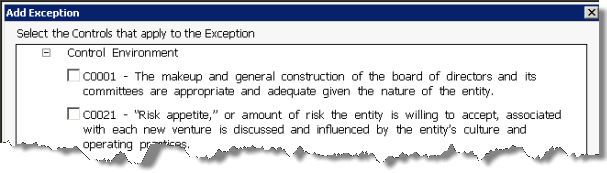
- Select the check boxes for the applicable controls.
- Type a description of the exception. You can also include a comment.
- ClickOKto save your changes.
For a Financial Statement Audit
For a financial statement audit, you can use the Control Deficiency Evaluation Form and Aggregation Worksheet to determine whether the accumulated deficiencies represent significant deficiencies or material weaknesses that must be communicated to the client.
For a Public Company Audit
For a public company audit of internal control, you can use the Control Deficiency Evaluation Form to summarize, accumulate, and evaluate deficiencies to determine whether they (alone or in combination) represent a material weakness or significant deficiency; and to form an overall conclusion on the effectiveness of internal control.
note
The exceptions that you list in the Enter Test Exceptions form carry forward to the Assess Control Risk form.