
Generate Planning Forms for Internal Control
When
Internal Control
is enabled in an engagement, many of the optional planning forms that are generated by the Risk Assessment module in the Generate Planning Forms and Audit Programs step are replaced by planning forms generated by Internal Control.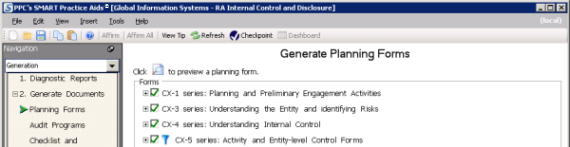
Primarily changed are the
CX-4 series
and CX-5 series
.
To use a filter for CX-5 forms:
- Click theSet Filtericon
 next to the CX-5 series.TheFilter Controlswindow appears.noteWhen creating Internal Control documentation, generally you want to include only controls that have been marked as having been implemented by the client (this is the default setting). If you prefer to include all controls, you can change the filter setting.
 - Select the check boxes for the controls you want to display in the preview or generated document.Choices areYes(default),No,N/A, andBlank.
- ClickOK.