
Link accounts to a currency
You need to link accounts to the new currency by following these steps:
- SelectPeriod Setup, thenCurrency Exchange Rates.
- SelectLink Accounts.
- Select theCurrencyandJournal Dateon theLink Accountsscreen.
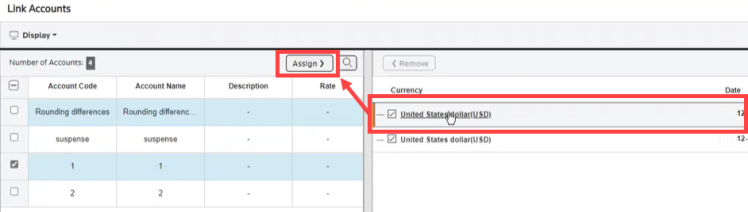
- Checkmark the account you want to convert on the left side of the screen.
- Select the currency you want to convert the account to on the right side of the screen and selectAssign.
- Assign additional accounts as needed.
- Select the expand option to view the account assignments of the currency.
 The system updates the values in Reports and Journals.