
Capture Supplemental K-1 Data
You can capture supplemental data for
Schedule K-1
if the option is enabled on your domain. On the Engagement Information
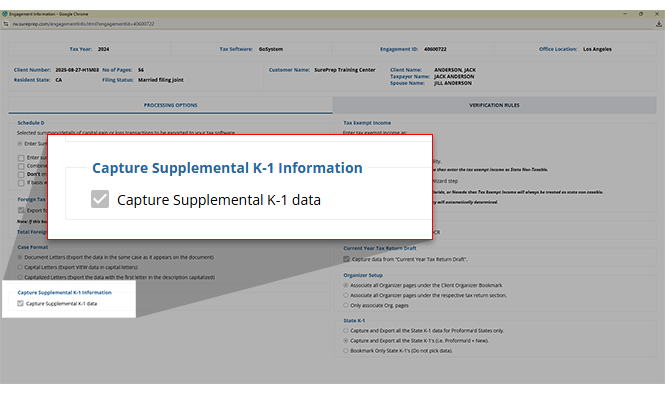
window, you will see the Capture Supplemental K-1 Data
checkbox if the option is enabled by your firm. If selected, OCR and verifiers will capture the supplemental K-1 data.note
OCR will only capture selected variations of supplemental K-1 data.
To capture supplemental data for Schedule K-1, you first enable firm settings.
If the
Form Type
is Schedule K-1
, then you can scroll down to see additional fields for Schedule K-1 - Supplemental Information.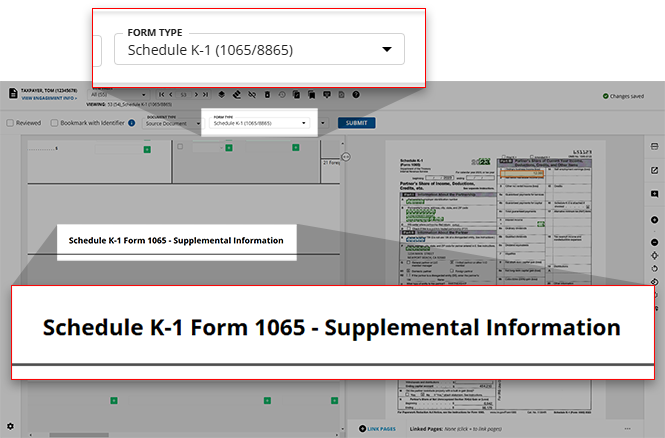
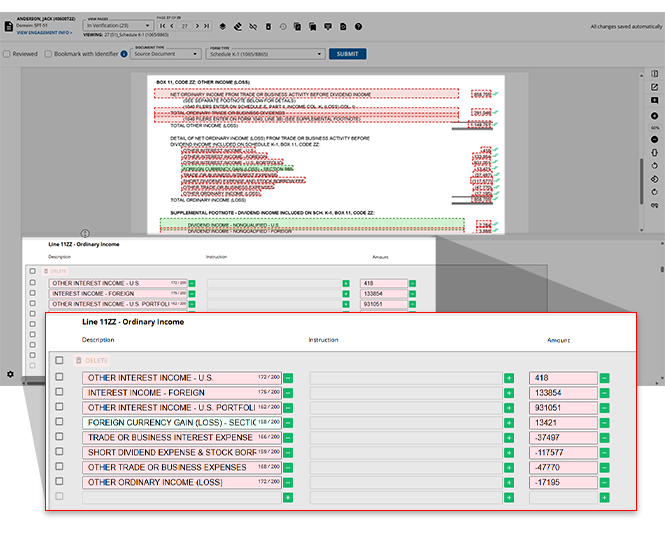
OCR will only capture selected variations of supplemental K-1 data. Capturing the variation in Step 2 - Verification helps reclass(assign) the supplemental data in SPbinder.
Related Content
-
Step 2 - Verification
Format: Article

