
Engagement Information
Throughout your usage of Review Wizard, you are able to consult a binder's
Engagement Information
to review specifics of the current binder/client records before making any necessary edits to the page(s) scanned content. A brief summary of your client's information will be displayed in the upper-left corner of the screen.
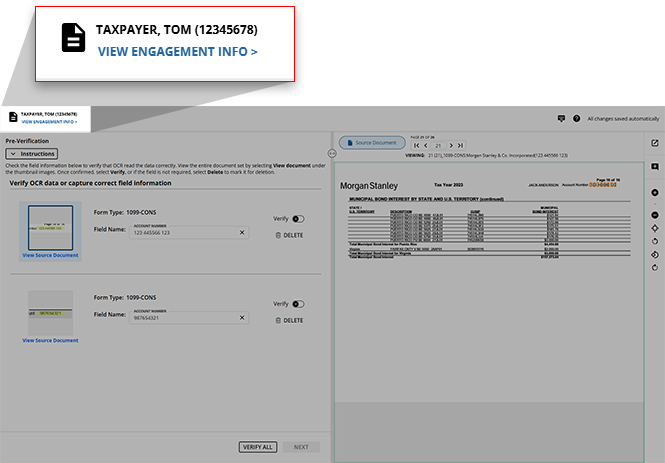
Point to the upper-left corner to display further information on this client (i.e.
Client ID
, Domain
, Tax Software
, etc.)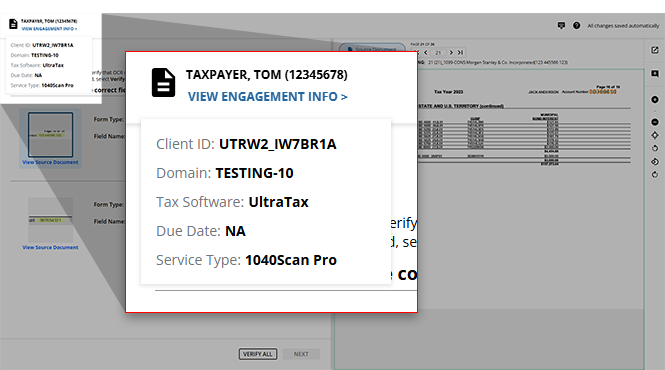
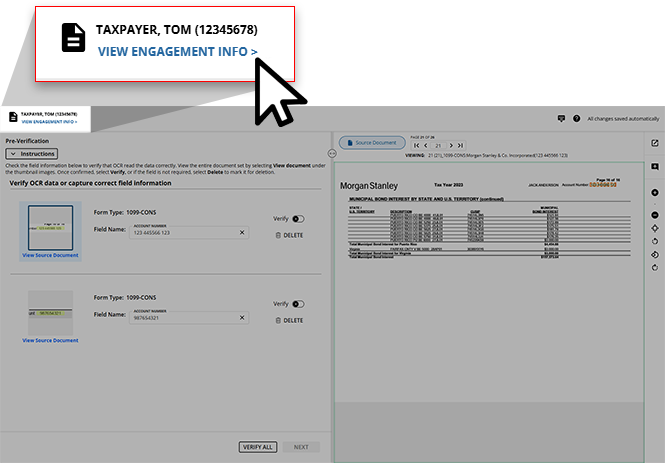
If you'd like an entirely comprehensive summary of this binder's information, click
VIEW ENGAGEMENT INFO>
.
The
Engagement Information
window will open.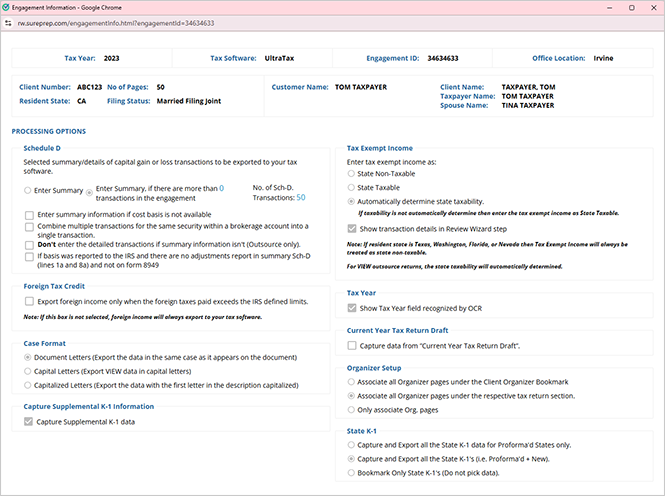
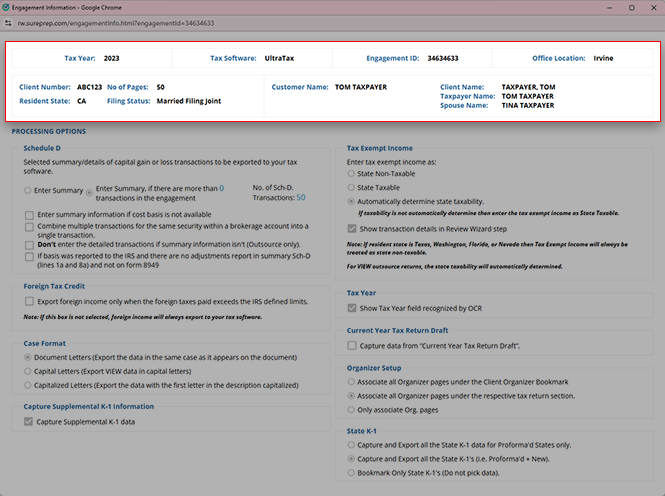
At the top of the
Engagement Information
window, you will see:
- Engagement Information:Tax Year,Tax Software,Engagement ID,Office Location,Client Number,No of Pages,Resident State, andFiling Status.
- Client Information:Type of Trust,Customer Name,Client Name,Taxpayer Name, andSpouse Name.
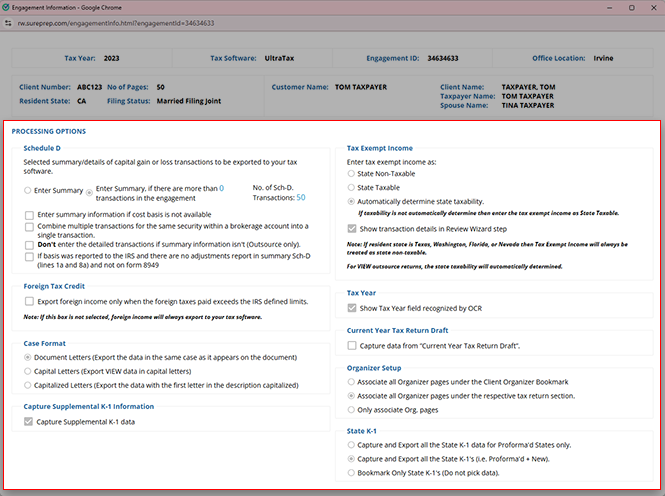
Next, you will see the options selected in the
Create New Binder
window or in Account Admin
. 
note
The information in the
Engagement Information
window is solely for review purposes and cannot be edited. These preferences were previously selected from your firm-wide processing option configurations and from the Create New Binder
window when creating this binder.When you've finished reviewing the information, you can close the window to resume your work in Review Wizard.
Related Content
-
Step 2 - Verification
Format: Article

