
Tax year in Review Wizard
The OCR will automatically recognize a source document's tax year and make the appropriate selections from a document's
TAX YEAR
input field. However, if the OCR detects a prior year (i.e. 2021) in the source document, then the document will be treated as a prior year document.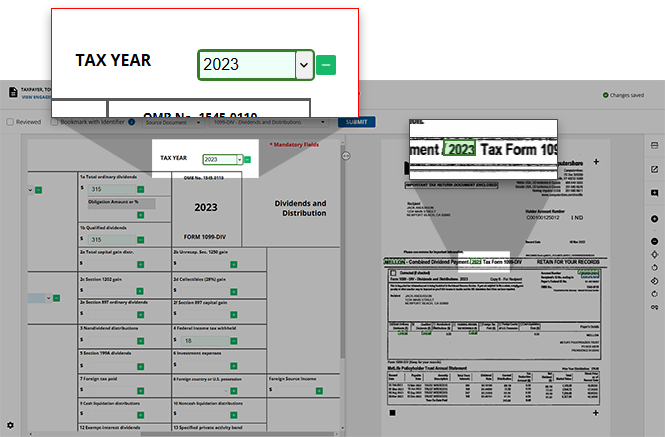
The OCR will automatically identify the document as a prior year document based on the tax year it recognized. Fields captured by the OCR will be disabled and grayed out. Multi-page documents (i.e.
Consolidated Statements
,K-1
s) will sync automatically based on the first page.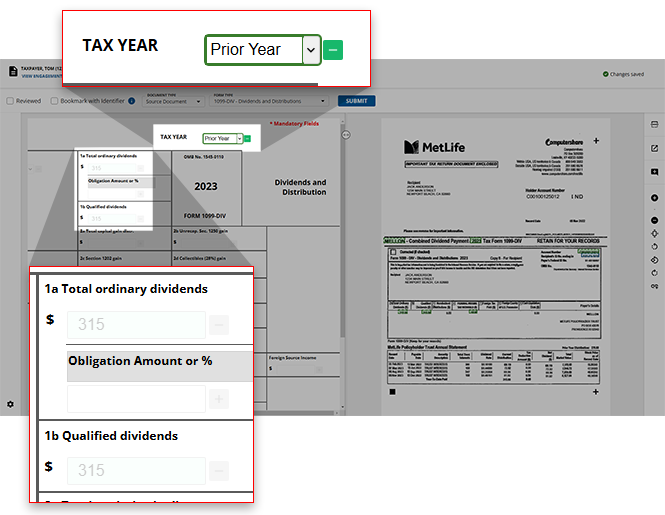
You can open the
Engagement Information
for the binder to review your firm's selected Tax Year
settings.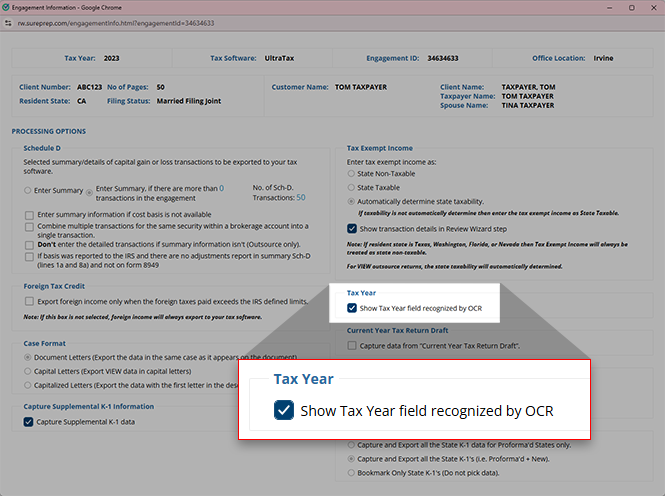
note
The
Tax Year
field will be enabled by default. To opt out of this feature, contact SurePrep Support.Notes
- On the Verification Wizard, selecting the prior year or the next tax year from the drop-down menu to indicate the incorrect tax year will disable the field and data will not be exported.
- Estimated State tax payment vouchers for the current year will be disabled automatically when read through OCR.
Related Content
-
Step 2 - Verification
Format: Article

