
Indexing Options
Indexing Options allow you to control how source documents and organizer pages are indexed and organized.
Follow these steps to set indexing options.
- Go toFileRoom,Admin, thenReview Wizard.

- Locate theIndexing Optionssection.
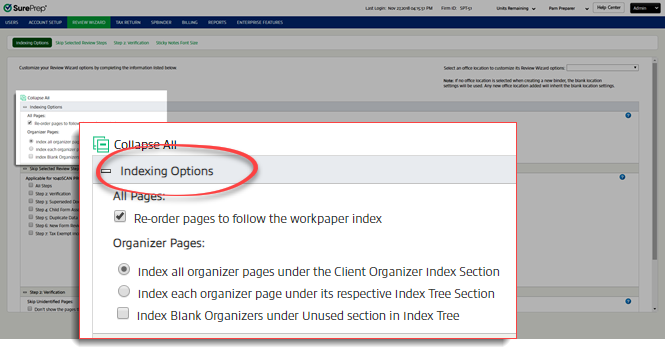
- UnderAll Pages, selectRe-order pages to follow the workpaper indexto re-order the submitted source documents to follow the order of index in the DreamWorkpapers file. This option is selected by default. You can clear this box to maintain the order of pages in which they were submitted/scanned in the DreamWorkpapers file. Pages will also appear in the same order when a binder is printed (scanned order or reorganized order).

- UnderOrganizer Pages, select one of the following options.Tip:This option is not applicable for 1041 binders.
- Index all organizer pages under the Client Organizer Index SectionAll Organizer pages will be associated underClient Organizerin the Index Tree.
- Index each organizer page under its respective Index Tree SectionAll Organizer pages will be associated under their respective Index Tree section.

- SelectIndex Blank Organizers under Unused section in Index Treeif you want all blank organizer pages to be bookmarked in theUnusedfolder on theIndex Tree.If this is checked, blank organizer pages will be indexed as shown below.
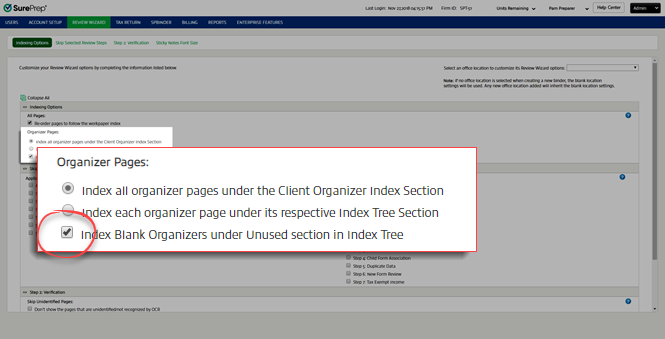 This can be used with either
 Index all organizer pages under the Client Organizer Index SectionorIndex each organizer page under its respective Index Tree Section.
 - You can also change the settings for a particular binder fromFileRoom,Create new Binderwindow,Processing Optionstab, thenReview Wizard.


