
Merged Document Request List PDF (TaxCaddy)
Your firm can convert TaxCaddy Document Request List (DRL) items into PDFs and then merge these fillable DRL PDFs into a single document. The merged fillable PDF document may include Schedule C, Schedule E, Schedule F, Medical Expenses, Real Estate Taxes, DMV Fees and Taxes, Charitable Contributions, Non-Cash Contributions, 1098 (Home Mortgage Interest), Other Interest Expenses, Foreign Financial Assets, Foreign Bank, and Financial Accounts.
Follow these steps to configure the API to get and download the DRL in a PDF format along with any fillable PDFs:
- Go toFileRoom > Admin > API > Firm Defaults.
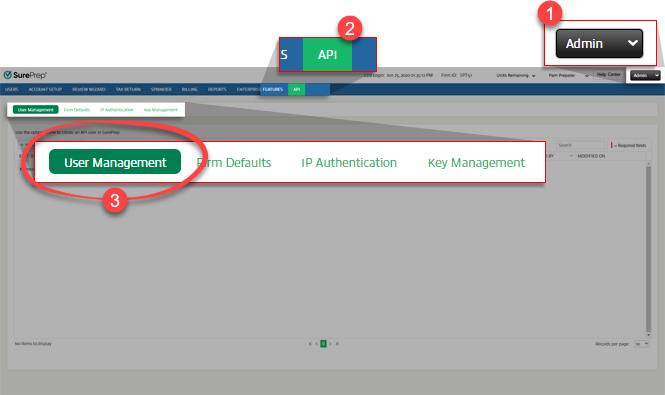
- Scroll down to theMerged DRL PDF (TaxCaddy)section, then select the checkbox forGet merged Document Request List (DRL) into a single PDF along with Fillable PDFs.

- On the confirmation window, selectYes.
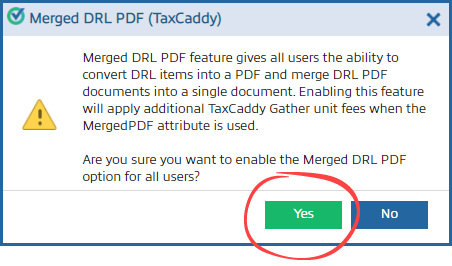 noteWhen creating DRL through API, TaxCaddy will consume one additionalTaxCaddy Gather unitif theMergedPDFinput parameter is passed.
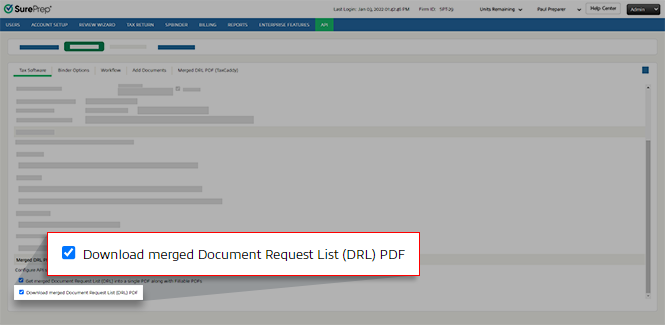
 - To give the API the ability to download merged DRL PDF, select the checkbox forDownload merged Document Request List (DRL) PDF.
After enabling the
Merged DRL PDF
settings, use the following API transfer to get the Merged DRL PDF:- Use theCreateDRL(POST) method call and pass inMergePDFas an input parameter.
- Use theGetDRLPDFDetails(POST) call to get the download information.
- Use theDownloadDocument(POST) call to download the document.
Related Links:
- See API workflow on getting DRL output.
Related Content
-
SurePrep API - TaxCaddy use cases
Format: Article

