
Supplemental K-1 (Capturing K-1 supplemental information)
The Supplemental K-1 tax return options allow your firm to capture and export Schedule K-1 data from supplemental pages. Descriptions and amounts captured from the K-1 supplemental pages can be verified in Review Wizard. In SPbinder, you can use the
K-1 Reclass
feature to rectify any K-1 supplemental data that was incorrectly recognized during the OCR/verification process.You can also minimize review time by allowing SurePrep to automatically reclassifying Schedule K-1 supplemental data. In SPbinder, reviewers can either confirm the recommendations or reclass the information.
Supplemental K-1
Follow these steps to capture and enable Schedule K-1 supplemental feature:
Select
FileRoom
> Admin
> TAX RETURN
.
note
The ability to select
Supplemental K-1
options for individual office locations is currently not supported.Go to the
Supplement K-1
section.Capture Supplemental K-1 and enable K-1 Reclass
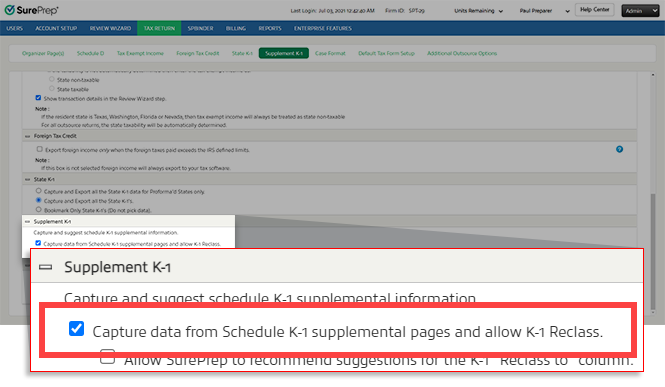
To capture Schedule K-1 supplemental data (in Review Wizard) and allow
K-1 Reclass
in SPbinder, select Capture data from Schedule K-1 supplemental pages and allow K-1 Reclass
.
K-1 Reclass auto-recommendation
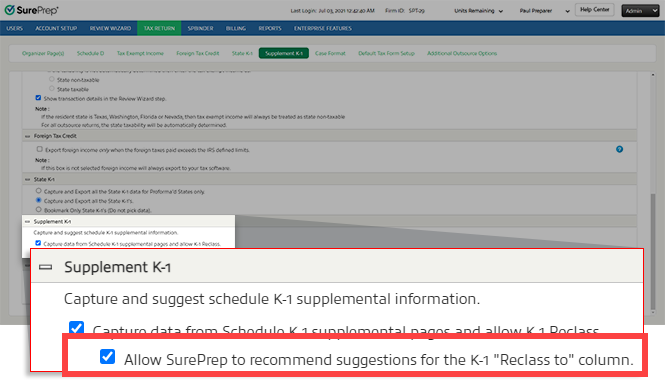
SurePrep's can automatically recommend
K-1 Reclass
suggestions based on the extracted Schedule K-1 supplemental page data. To enable this feature, select Allow SurePrep to recommend suggestions from the K-1 "Reclass to" column
.
note
This feature is available for both 1040 and 1041 binder types.
Once enabled, SurePrep will auto-populate the
Reclass to
column in SPbinder based on proforma and expert system suggestions for all new binder submissions. You can manually reclass or reassign the recommendations if necessary.note
In SPbinder, you can select the  to check which tax return options were applied to the binder when it was created.
Binder Information
icon to check which tax return options were applied to the binder when it was created. Requirements
Requirement | Details |
|---|---|
Firm Setting | * Available for binders created after this feature is enabled. |
Binder Type |
|
Leadsheets |
|
Services |
|
Tax Software |
|
Submission Type |
|
Tax Year |
|
Related Content
-
Tax Return options overview
Format: Article

