
Error messages
Scenario
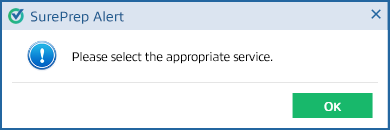
If you're a 1st time user or just logged in, when you select  to create a new binder you may see the following message.
CREATE NEW BINDER
to create a new binder you may see the following message.Error message
Please select the appropriate service.
Solution
Select the picklist icon  next to
next to CREATE NEW BINDER
, then select the service from the dropdown menu.Scenario
When you select
Submit
on the Create New Binder
window, if no credits are available for that service, you'll see an alert informing you of this.Error message
Binders cannot be submitted due to insufficient balance. To purchase units, kindly contact your Sales Representative.

Solution
Contact your sales representative to purchase units.
Related Content
-
Create new binder
Format: Article

