
How do I check my binder due date?
Follow these steps to view the binder due date for Outsource binders that were sent to SurePrep:
Select
Column Setup
on the Sureprep toolbar.
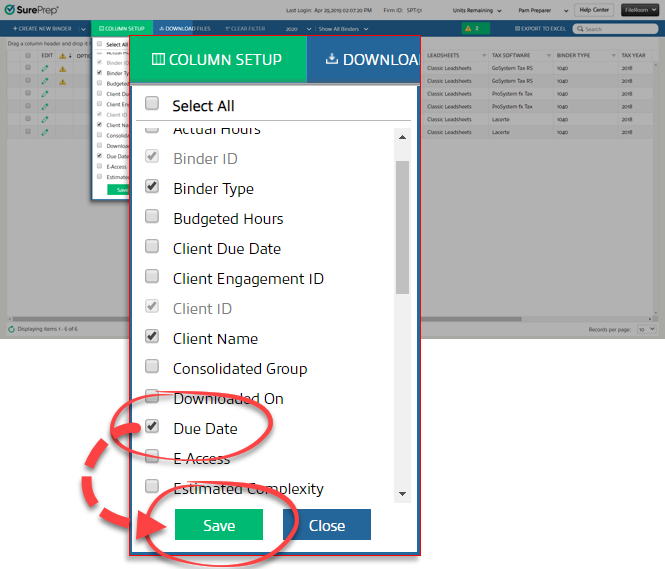
On the
Column Setup
window, there will be a list of all available columns, such as Binder Type
and Client Name
. The list shows the columns in alphabetical order. Mark the Due Date
checkbox, then select Save
.
The
Due Date
column will appear to the right. Each Outsource binder will display its expected due date.note
For Outsource binders created without Leadsheets, FileRoom is not showing the due date when additional documents are submitted to SurePrep.(Ref: FIL-1382)

