
How do I check my binder submission date?
Follow these steps to view the binder submission date:
Select
Column Setup
on the Sureprep toolbar.
On the
Column Setup
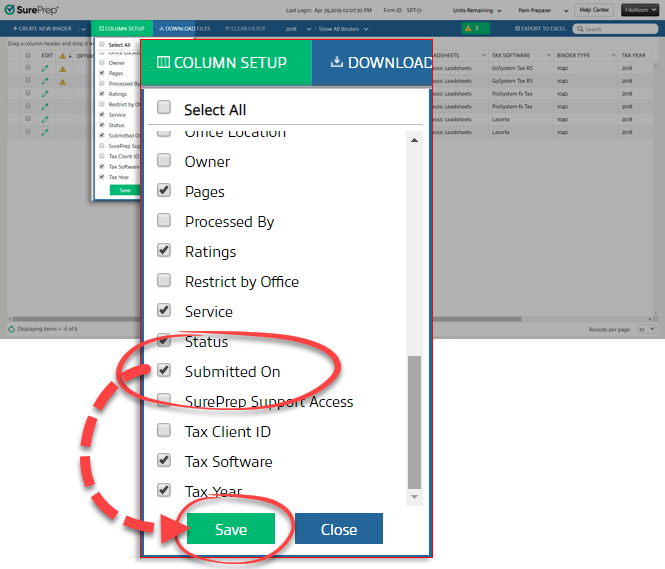
window, there will be a list of all available columns, such as Pages, Ratings, Services, and Status. The list shows the columns in alphabetical order. Mark the Submitted On
checkbox, then select Save
.
The
Submitted On
column will appear to the right with each binder's submission date.
