
Processing options
When creating a new binder, the
PROCESSING OPTIONS
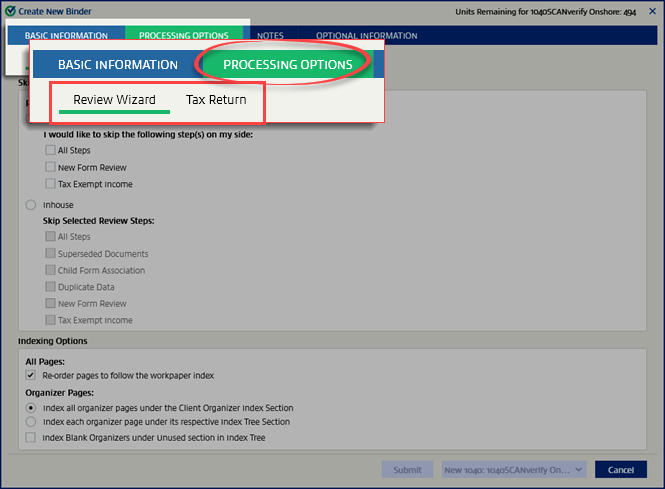
tab has additional settings that let you customize how the binder processes.- Review Wizardsettings control how the current binder's verification should be completed and sent to the binder.
- Skip the verification steps.
- Organize pages under a certain section in the binder.
- Tax Returnsettings impact how the tax return is captured and processed:
- Should organizer pages be captured?
- How to handle capital gains/losses - capture a summary or individual transactions.
- Should foreign income be exported?
note
- Modifying thePROCESSING OPTIONStab is not required. All options are preset based on the default firm-level settings saved inAccount Admin.
- ThePROCESSING OPTIONStab isn't available for binders using the SPbinder service type because that service type doesn't export data to the tax application.
Review Wizard
The settings under
Review Wizard
will default to those set in Admin
, then Review Wizard
. Any changes you make here will only apply to this binder.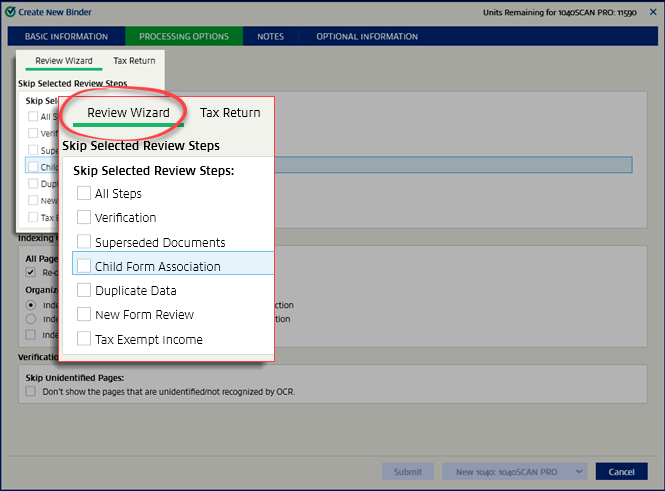
Review Wizard
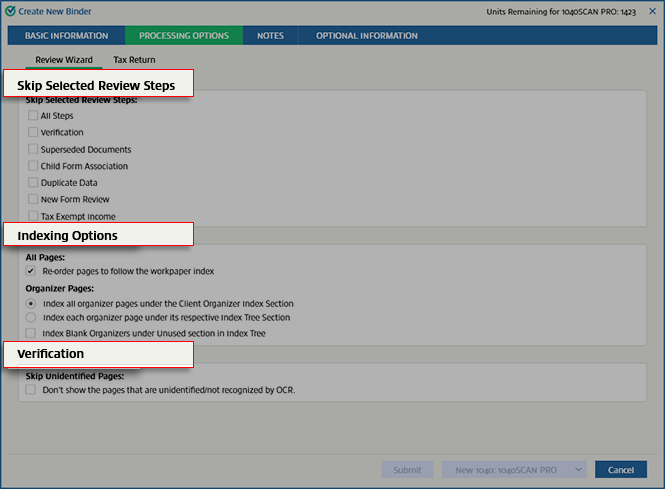
tab lets you customize the binder verification process by updating the following sections:
- Skip Selected Review Steps:Select which Review Wizard steps should be excluded from verification.Example: If you want the verifiers to skip theNew Form Review(that is, NFR) step, select the checkbox to skip to the next step.
- Indexing Options:Select how documents are organized SPbinder.
- Verification:Select how unidentified pages are handled.
View a detailed explanation in the Review Wizard section of Admin.
Tax Return
The settings under
Tax Return
will use the default settings saved in Admin
, then Tax Return
. Any changes you make here will only apply to this binder.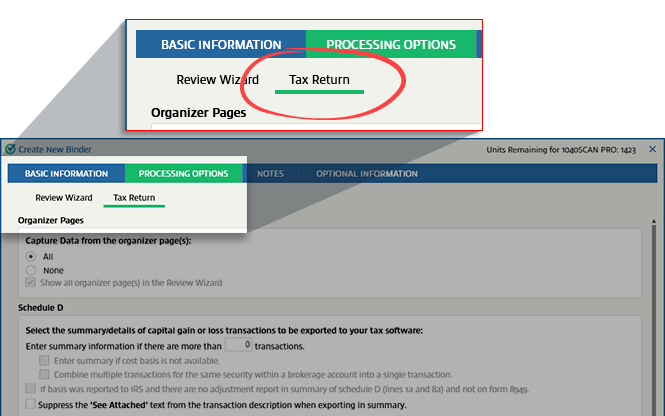
The
Tax Return
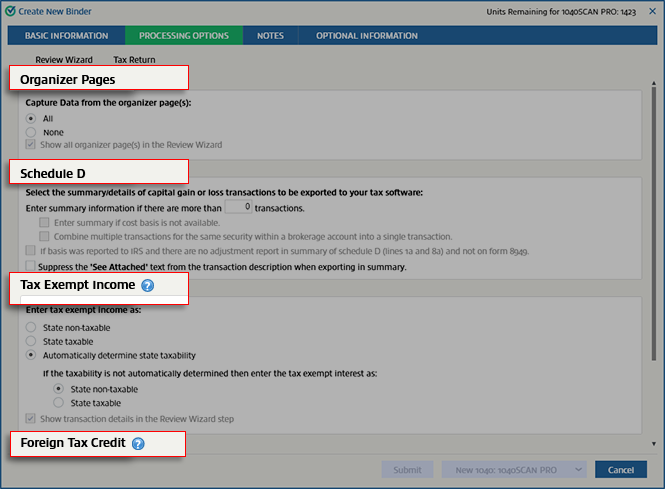
tab lets you customize your tax return preparation by updating the following sections:- Organizer Pages:Select if you want to capture data from organizer pages.
- Schedule D:Export capital gain and loss transactions according to your preferred settings.
- Tax Exempt Income:Determine if tax-exempt income should be state taxable
- Foreign Tax Credit:Only export foreign income if foreign taxes exceed the IRS limit or always export foreign income.
- Case Format:Select letter casing (Original document, all caps, title case).
Related Content
-
Skip review steps
Format: Article
-
Select indexing options
Format:
Article
-
Skip verification of unidentified pages
Format:
Article
-
Capturing data from organizer pages
Format:
Article
-
Export Schedule D information
Format:
Article
-
Tax exempt income
Format:
Article
-
Foreign tax credit
Format:
Article
-
Set case format
Format:
Article

