
Download source document from FileRoom
Follow these steps to download a file from the
File
window:- Go to the binder containing the document you want to download inFileRoom.
- In theOPTIONScolumn, select thePicklisticon
 for the binder.
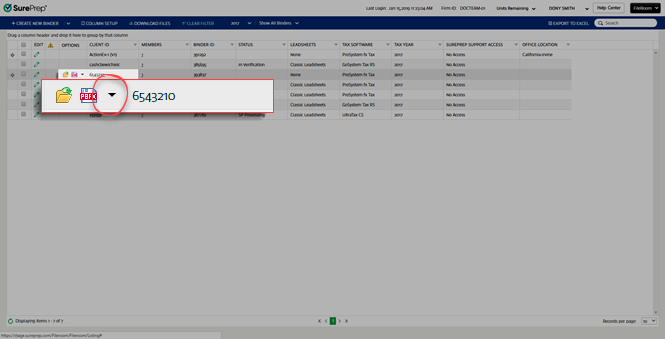
- SelectFilefrom the dropdown menu.

- When theFilewindow appears, locate the document you want to download. To download the file, select theDownloadicon
 in the DOWNLOADcolumn.tip
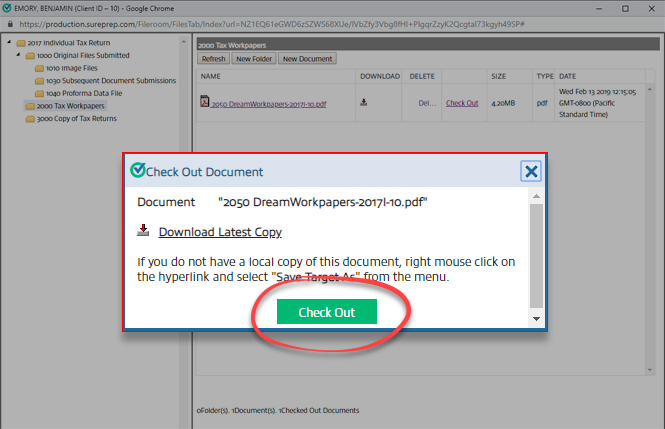
- Alternatively, you can selectCheck Out, thenDownload Latest Copyin theCheck Out Documentswindow.
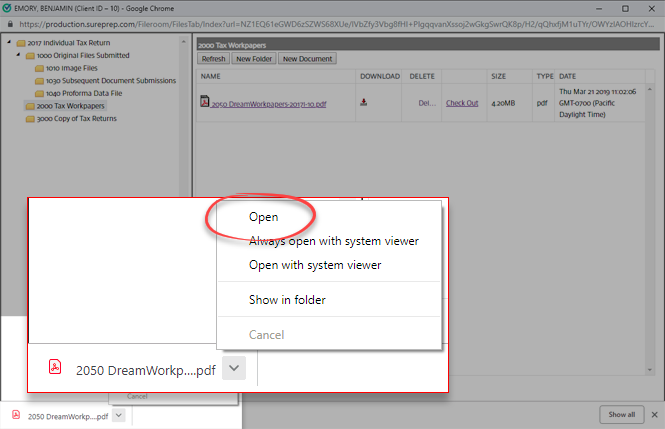
- You can open the document after it downloads. The download window may vary based on browser type.
Related Content
-
View stored binder files
Format: Article

