
A brief tour (begin here)
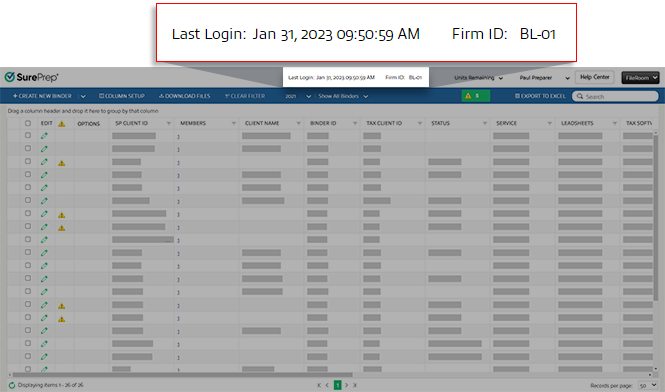
Last sign in
You can view the date and time of your last sign in at the top of FileRoom.
Manage binders
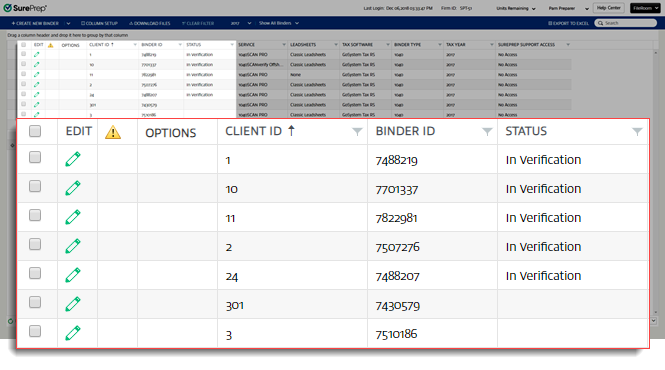
FileRoom contains information on the binders you've submitted to SurePrep. Each row represents an individual binder.
The  appears in the 1st column for binders without leads that have had additional documents added.
plus
icon appears in the 1st column for binders without leads that have had additional documents added.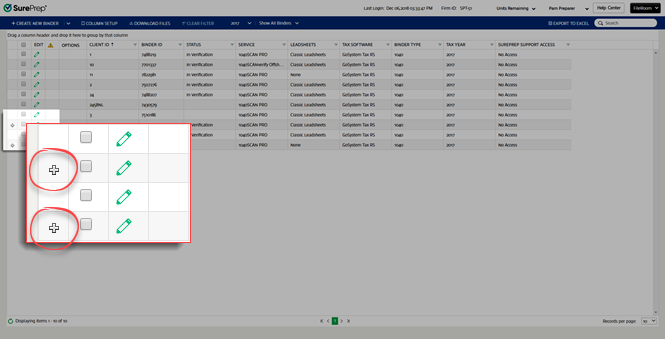
To edit an uploaded binder, select the  icon.
icon.
Edit
icon.You can edit fields when the
Edit Binder
window appears.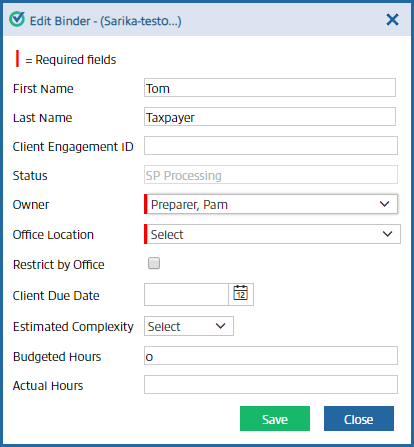
If the binder's status is
Documents Uploading
, SP Processing
, or In Verification
, then the status field won't be available. If the binder's status is blank or a custom status, then you can select and assign a custom status.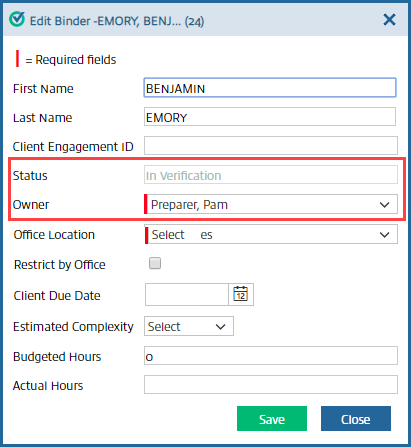
If the permission for
Assign New Owner
is unchecked in , then the Owner
dropdown menu won't be available. Additionally, the user won’t appear as an option in the Owner
dropdown menu if the permission for Can be an Owner
is not selected.Select
Office Location
from the dropdown menu to select the client's office location, and select the Restrict by Office
checkbox to restrict the binder by office location.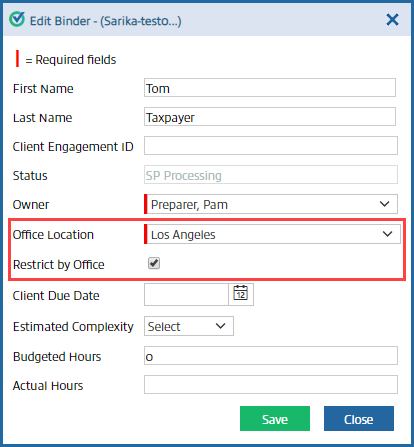
note
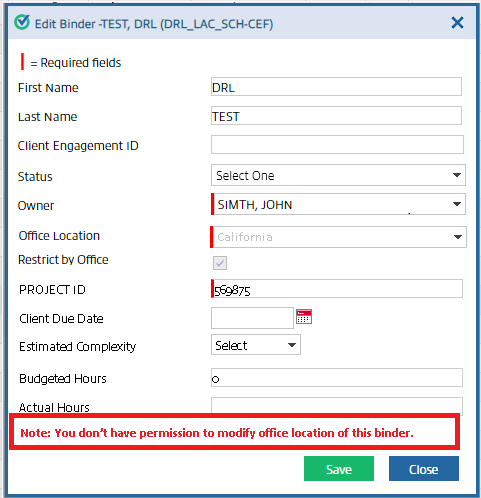
If binder access restrictions are already enabled for office location, then
Restrict by Office
checkbox will be automatically selected and can’t be turned off. You'll see a notification message appear if you don’t have permission to change the office location.
After editing the fields you want to change, select
Save
to save those changes or select Close
to close the window without saving the changes.For 1040SCANverify and Outsource Onshore/Offshore binders, you can rate the preparation and add a comment for reference.
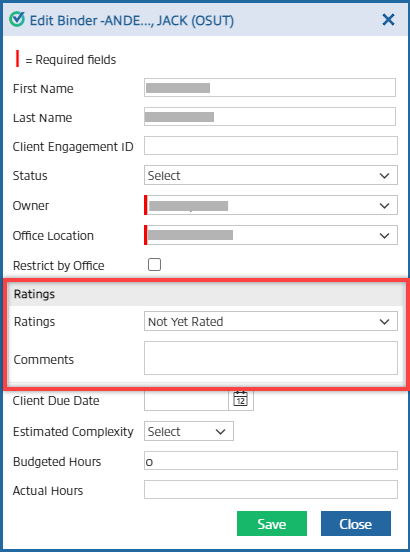
You can also go to to view a consolidated report of all the ratings on your domain.
Notifications
The notification column appears next to the
Edit
column in FileRoom.The
Caution
icon indicates that the binder has notifications. Point to this icon to show if the job is stuck in any process or is canceled.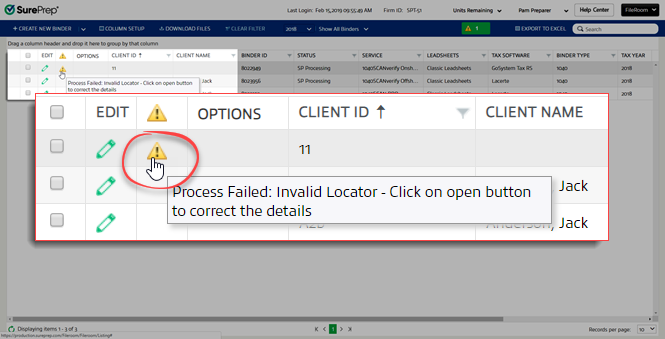
Options
Point to the
OPTIONS
column to display the following icons: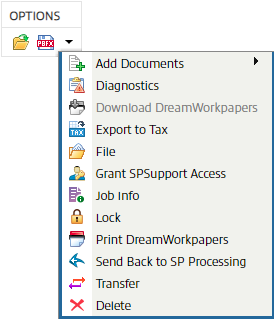
Open
: Opens a binder. PBFX
: Saves a PBFX file. Dropdown
: Point to this to open a menu with the following selections: Options menu | Description |
|---|---|
Add Documents  | Adds documents to your binder. |
Diagnostics  | Shows diagnostics generated in the binder. View details on reviewing diagnostics. |
Download SPbinder PDF  | Downloads printed SPbinder PDFs. |
Download DreamWorkpapers | Downloads printed DreamWorkpapers. |
E-Access  | Uploads all images to the server and lets you access SPbinder from any machine that doesn’t have the SurePrep Download folder path set-up. |
Export to Tax  | Exports all data from SPbinder to the tax application. View details on how to export in different tax application. |
File  | Shows originally submitted workpapers, tax workpapers, SPbinder PDF and a copy of submitted tax returns. View details on using Files Tab. |
Grant SPSupport Access  | Lets SurePrep Support personnel access your binder. |
Jobs Info  | Shows the job details for the binder. |
Leadsheets  | Exports Leadsheets to an Excel file. This icon is available only for binders created without Leadsheets. |
Unlock  | Locks or unlocks the binder |
Print DreamWorkpapers  | Prints DreamWorkpapers. |
SPbinder PDF | Prints SPbinder PDF for without leadsheets and custom binders. |
Send back to SP Processing  | Sends the binder back to the owner for correcting certain information. |
Transfer  | Transfers binder to another user. |
Delete  | Deletes the binder |

