
Notifications
The notification icon lets you know when binders have notifications.
The number indicates the number of binders with notifications. When you select the notification icon  , binders with notifications will be displayed on top.
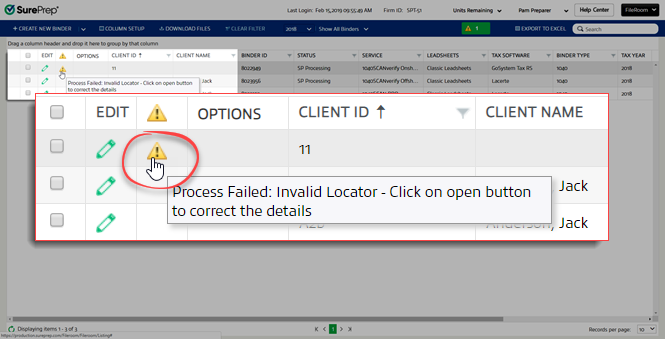
, binders with notifications will be displayed on top.A table will display the following columns:
- Checkboxes (to select an entire row)
- Edit
- Cautions

- Options
- Client ID
- Client Name
To view the notification, hover your cursor over the
Caution
iconYou'll get an error message like the following:
Process Failed: Invalid Locator - Click on open button to correct the details
To resubmit such binders, hover your cursor in the blank space in the
Options
column, then select the Open
icon that appears.In the
Create New Binder
window, correct the information then select Submit
.
