
Multiple-activity for a Schedule K-1
CCH Axcess Tax
users can use the input forms to export multiple-activity Schedule K-1 data directly into their tax application.note
This feature is only available for CCH Axcess Tax.
Input form for Schedule K-1 with multiple-activity
Follow these steps to create an input form for Schedule K-1 with multiple-activity:
- OpenSPbinder. SelectFORMS.
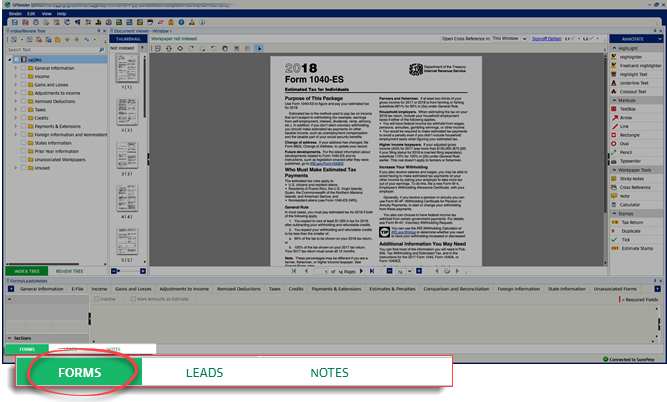
- SelectIncome. From the dropdown menu, selectSchedule K-1.

- The Schedule K-1 input form will appear. The sidebar on the left will haveSchedule K-1,Activity, andSections.

- A Schedule K-1 entity can have multiple activities added, deleted, and moved in theActivitysection. See the following list to learn more:Add
 Add multiple activities for a single Schedule K-1 entity.Delete
 Delete multiple activities for a single Schedule K-1 entity.Move To
 Move the data for an activity across any entity/activity.
Move an activity
From the
Activity
section, a user can move the activity data within the same entity/activity as well as across to another entity/activity.- To open aMove Towindow, select Move Toon theActivitysection.

- To move activity data to a pre-existing Schedule K-1 entity, selectAdd Activity. To move this activity data to a new Schedule K-1 entity, selectAdd Entity.A user can also use the search field to search for an entity/activity.

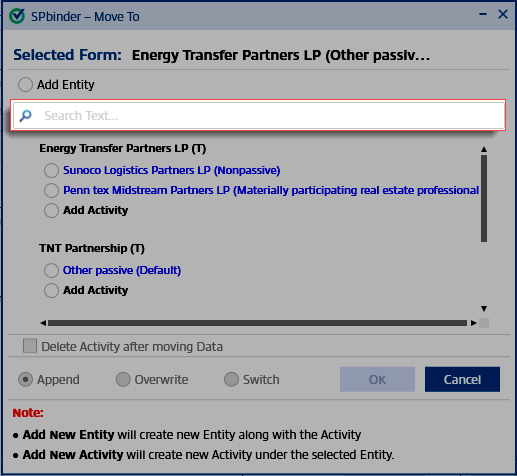
- Select the entity/activity. SelectOk.
Multiple-Activities in the New Form Review Wizard
Multiple activities for a Schedule K-1 entity will appear under the
Proforma Input Forms
. A user can associate the Schedule K-1 entity based on the class code of the activity (that is, passive, non-passive).
To view the activity name and class code, right-click on the Proforma name, and from the dropdown menu select
Edit Form
. Associate the Schedule K-1 to the required activity and move to the next step.
note
The data on Schedule K-1's first page is automatically transferred to the selected activity in the New Form Review Wizard.
Multiple-Activity in Leads
In
Leads
, an entity will have columns for each associated activity.For each row, the totals of all activity related to 1 entity will be calculated and displayed in the subtotal column. Any addition or deletion of an activity in the binder will be reflected in the Leadsheets.
note
This feature is available for 1040 and 1041 binders using the
CCH Axcess Tax
application. This includes all Schedule K-1 entities, i.e, 1065, 1120S, 1041 PTP created after the 2016 tax year. This functionality will apply for all Service Types (except old processed classic leads binder). 
