
Set up GoFileRoom notifications (optional)
You can get notifications for events surrounding SurePrep Source documents by adding notification rules for documents and workflows. SurePrep and GoFileRoom don't require notifications to function properly.
note
If you have previously configured notifications, they can remain in place if you want to receive emails and alerts, or they can be deleted. Leaving the notification rules in place won’t impact the integration process.Prior Version of GoFileRoom required the following notification rules, however, this setup step is no longer required. The following notifications can be edited or deleted to your preference.
- SurePrep source document added - SurePrep source document deleted - SurePrep source document reindexed
Follow these steps if you want to get notifications for SurePrep events (optional):
- On theHomepage, selectNotifications Rulesin theMy Alertssection.
 noteYou'll need administrative permissions to complete these steps.
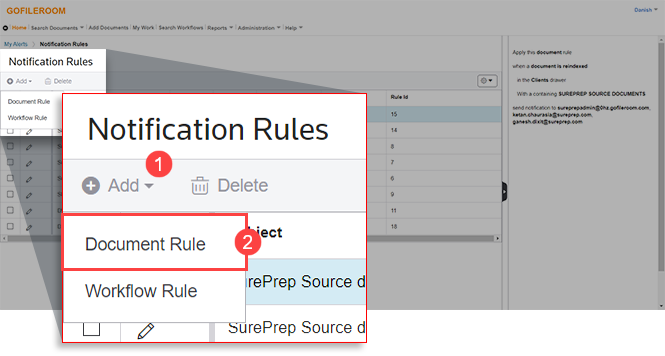
- SelectAddthenDocument Rule.
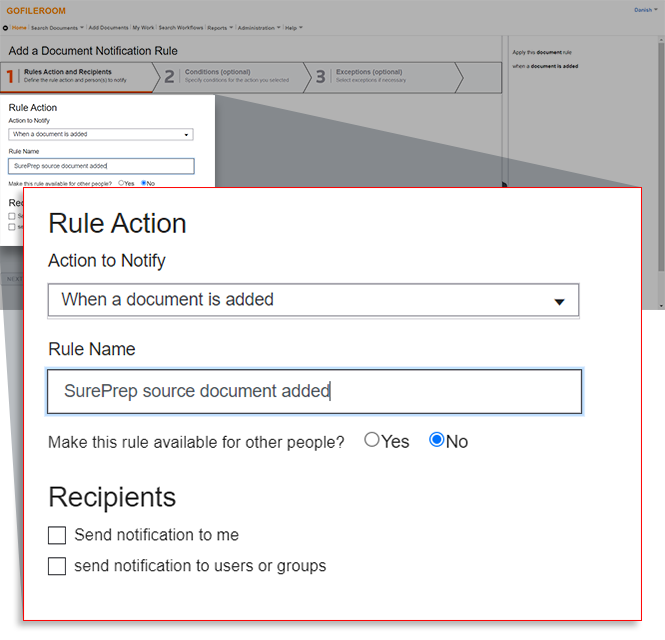
- Create a new rule by selecting the following options:OptionEntryAction to NotifyWhen a document is addedRule NameSurePrep source document addedMake this rule available for other people?NoRecipientsMark the checkbox for the recipients of the notification as desired.
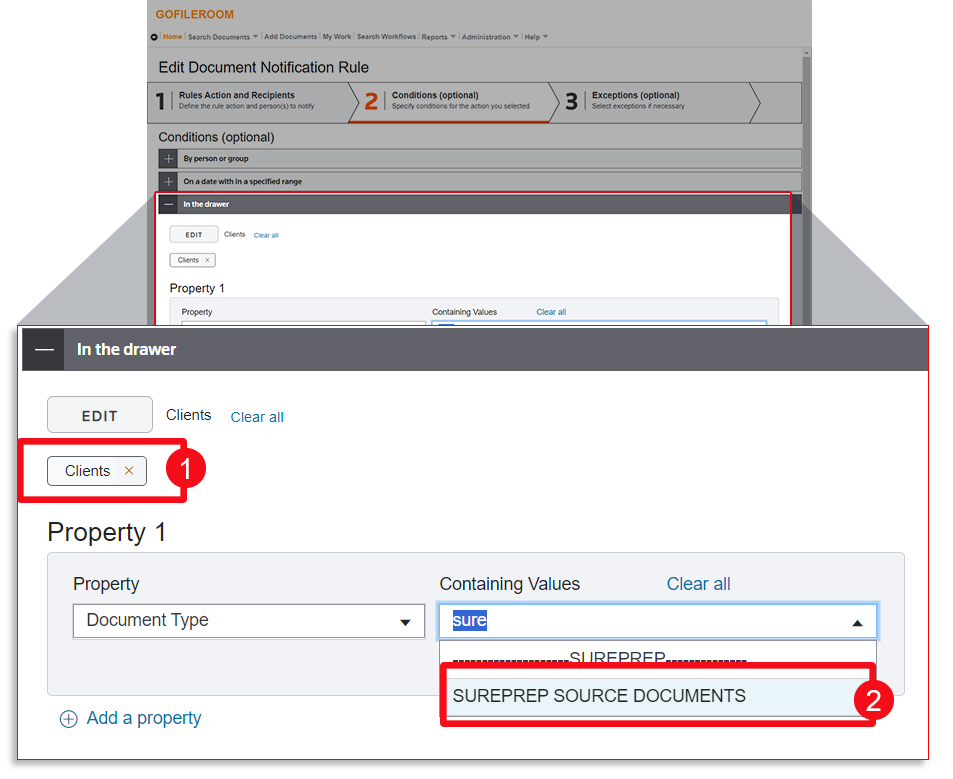
 SelectNext. Go to theConditional (optional)tab and select the following:OptionEntryIn the drawerClientsPropertyDocument TypeDocument TypeSUREPREP SOURCE DOCUMENTS
 SelectDoneto save the rule.
 - Repeat the previous steps above to create a new rule:OptionEntryAction to NotifyWhen a document is deletedRule NameSurePrep source document deletedMake this rule available for other people?NoRecipientsMark the checkbox for the recipients of the notification as desired.
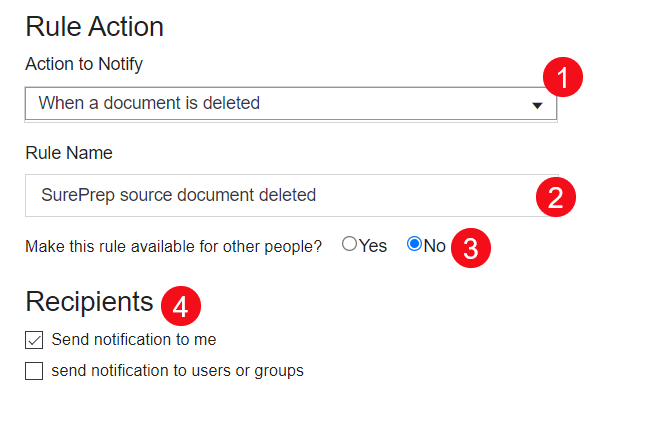 noteDuring initial setup and testing, it's recommended you selectSend notification to me. You can choose to disable notification Email and Alert from the Notification Rules page after SurePrep integration has proven successful.
 - Repeat the previous steps to create a new rule:OptionsEntryAction to NotifyWhen a document is reindexedRule NameSurePrep source document reindexedMake this rule available for other people?NoRecipientsMark the checkbox for the recipients of the notification as desired.
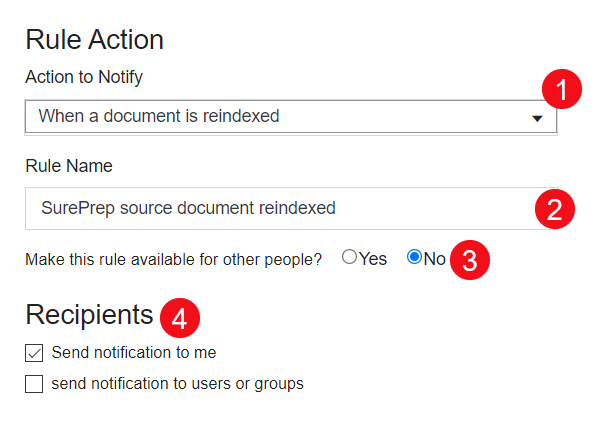
note
- You'll need to set up SurePrep notification rules for adding, deleting, and reindexing documents to ensure that GoFileRoom documents are sent to SurePrep. Please ensure you have followed the steps listed previously and added the following notification rules setup:-SurePrep source document added-SurePrep source document deleted-SurePrep source document reindexedClient documents won’t appear in Sureprep if the above notifications haven’t been set up properly. Use this link to learn more about notifications in GoFileRoom.
- You're encouraged to turn off all alert methods (email and alert). However, if you want to see alerts for these rules, you may enable the alerts as you choose.

