
Troubleshooting: Duplicate Activities for GoSystem Tax RS
If you received an email regarding duplicate activities, you will need to open the locator, then find the duplicate activities listed in the email. For example, you may receive an email telling you the Form type, entity name, and activity number.
note
Please contact GoSystem Tax RS Help and Support for assistance in resolving the duplicate activities issue.
For FileRoom users, once the activity numbers have been fixed, go to FileRoom, point to the  icon to open the binder.
OPTIONS
column next to the CLIENT ID
number, then click the Open
icon to open the binder. For GoFileRoom users, open GoFileRoom, then open the client. Once the client is open, click the
SurePrep
button. If you see the confirmation message then click
Open
. You may be asked if you want to open web content using this program on your computer. Click
Allow
. On the
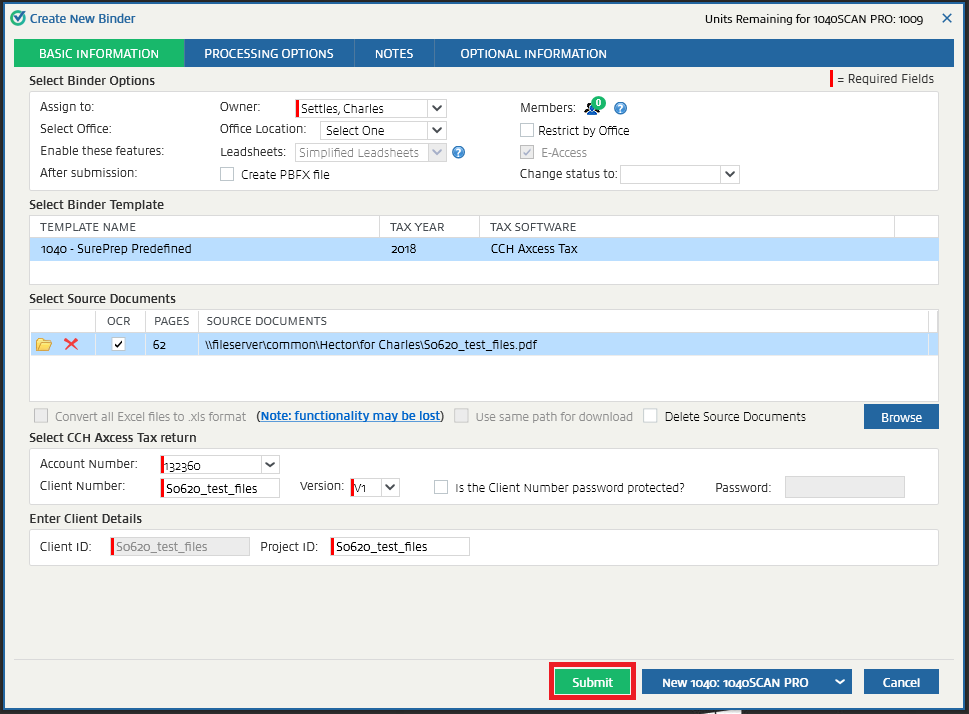
Create New Binder
window, verify all the information then click Submit
.
Once all the duplicate activities have been cleared, the binder will process successfully. If there are more duplicate activities, you will receive another email with the duplicate activities like the previous one. If that happens please retry the steps.

