
Attaching proforma files for Lacerte In-House
While submitting returns in the FileRoom for Lacerte - Inhouse, the proforma files for the return needs to be attached. Use .ID
0
files to bring in proforma data from Lacerte into SPbinder.note
Each tax year will have a different extention based on the last digit of the tax year. For example: 2020 will have .ID
0,
2021
will have .ID1
, and 2022
will have .ID2
extention.To locate the path where the .ID0 proforma files are located:-
- Open the Lacerte Tax Software
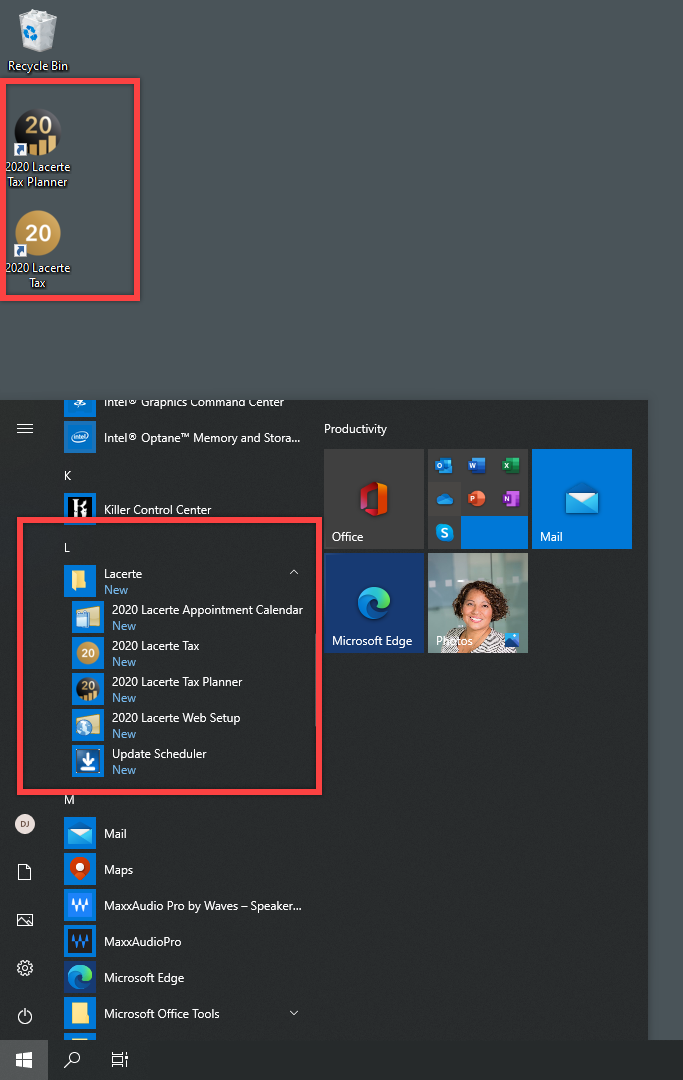
- Start,Programs,Lacerte, then2020 Lacerte Taxor select the2020 Lacerte Taxicon on the desktop (Tax year may vary based on your current tax year).
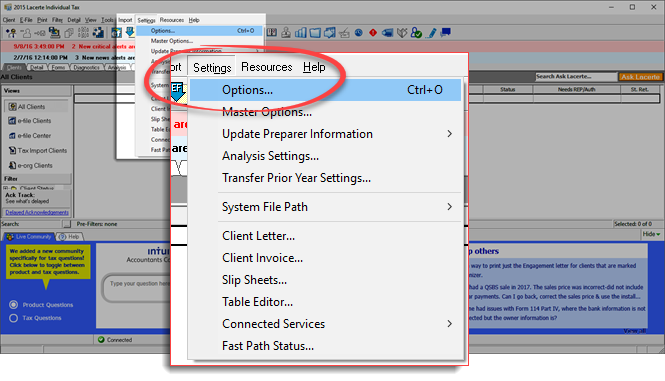
- In the tax software, go toSettingsmenu then selectOptions.
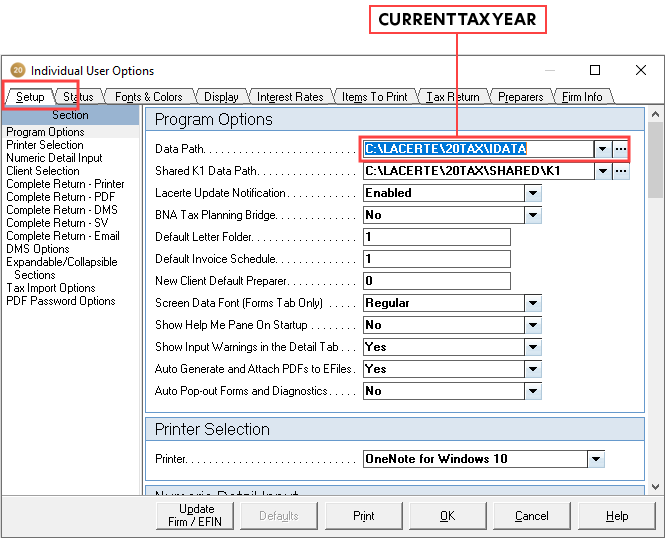
- Browse to the path provided in theData Path.
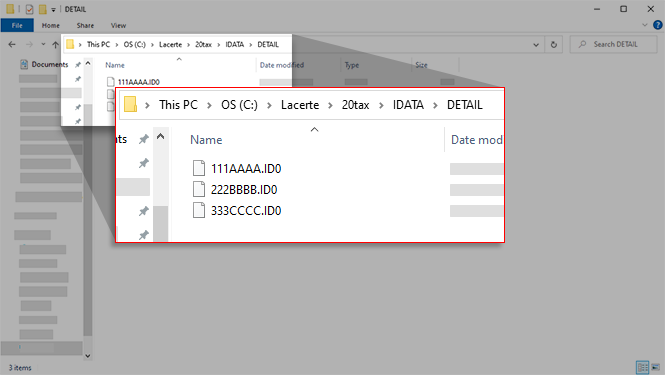
- After browsing to the path (L:\LACERTE\20TAX\IDATA), double-click theDETAILfolder.
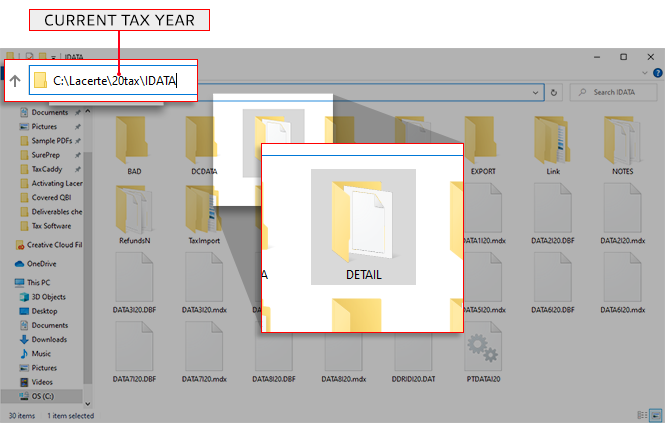 Proforma .ID0 files are located here. Each tax year will have a different extension based on the last digit of the tax year. For example, 2020will have .ID0,2021will have .ID1, and 2022will have .ID2extension.
 This path must be selected underTax File ActivationthenLacerte.noteData Path should be located in the Lacerte installed folder on your network or local path. Add the following folders based on the return type:1040 returns(Individual): Lacerte, Your current tax year,IDATA(example: L:\Lacerte\20tax\IDATA)1041 returns(Fiduciary): Lacerte, Your current tax year, thenFDATA(example: L:\Lacerte\20tax\FDATA)

