Calculating multiple ProSystem fx returns
note
Starting from the 2023 tax year, SurePrep no longer supports integration with ProSystem fx Tax
. In FileRoom and TaxCaddy, you won't be able to create ProSystem fx Tax clients, binders, or DRLs from 2023 tax year onwards. SurePrep will continue supporting the 2022 tax year and prior years. Calculate multiple ProSystem fx returns
Calculate multiple ProSystem fx returns
You can calculate multiple ProSystem fx tax returns at a time. To do so follow the steps listed below:
Open
Production Processing
from Start
, Programs
, ProSystem fx Tax
, then Production Processing
.On the
Production Processing
window, select the Calculate Returns
button.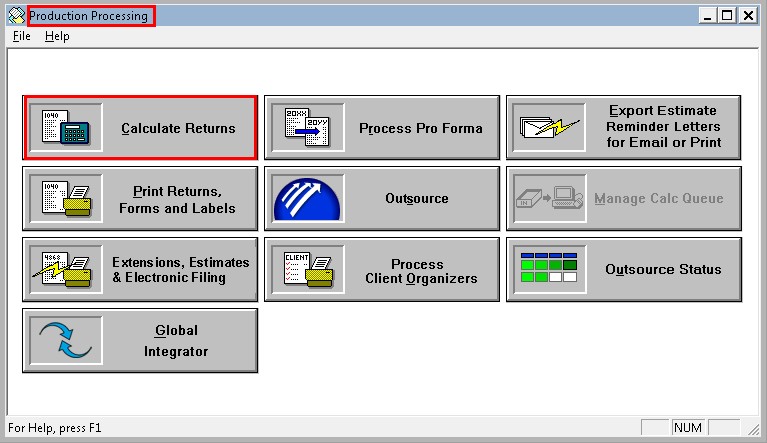
On the
Calculate Returns
window select the tax year from the drop-down, then select the OK
button.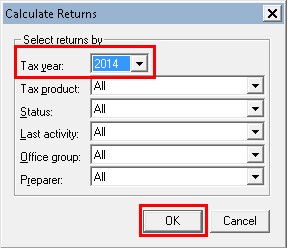
In the new window, select the required returns manually from the
Returns
section by Ctrl
+ Click
or Shift
+ Click
. To select all the return select the Add All
button.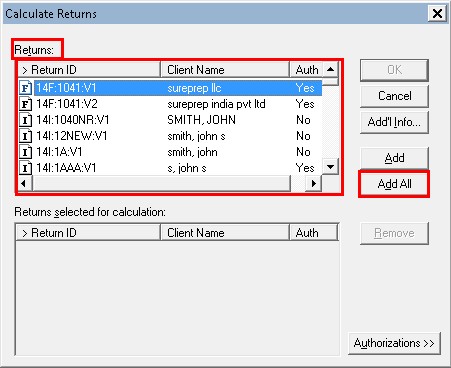
The selected return will appear in the
Return selected for calculation
section. Select the OK
button.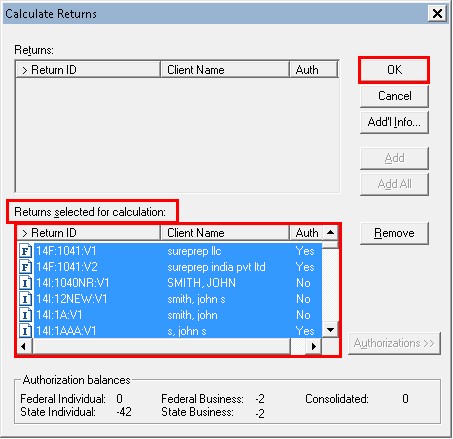
The
Calculate Options
window appears. Select the path from the Calculate On
section.If you want to save the list to batch, select the check box
Save list to batch name
and enter the batch name in the column next to it.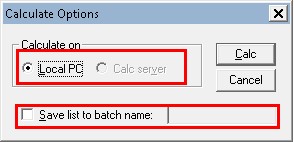
A window appears for calculating the batch files.
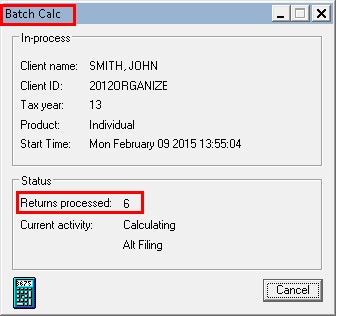
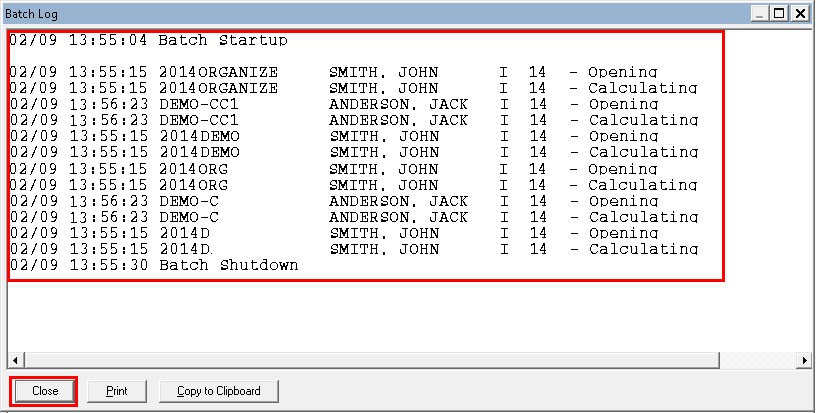
Once the files are calculated, the following window appears showing the status of the files calculated. Select
Close
.