Setting up ProSystem fx Tax Outsource folder
note
Starting from the 2023 tax year, SurePrep no longer supports integration with ProSystem fx Tax
. In FileRoom and TaxCaddy, you won't be able to create ProSystem fx Tax clients, binders, or DRLs from 2023 tax year onwards. SurePrep will continue supporting the 2022 tax year and prior years. When you outsource returns to SurePrep for full preparation, you need to download and store the completed tax software files submitted by SurePrep after preparation. Select a network location to save your SurePrep information. Select a location that is easily accessible by all internal staff that will access data received from SurePrep.
- Select a network drive, create a new folder called 'fx'.
- Within the 'fx' folder, create sub-folders called '19' for 2019 returns or '20' for 2020 returns, etc.
- Within the '20' folder, create sub-folders called 'ud'
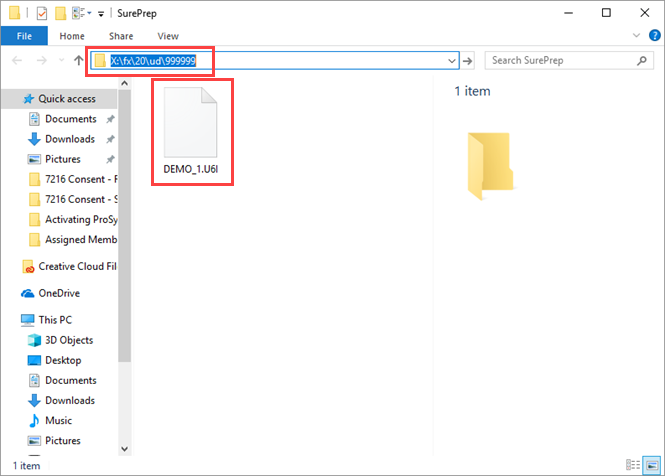
- Finally, in the 'ud' folder, create a folder with your ProSystem fx account number.
- The folder structure should appear as below: Network/Local drive: \fx\20\ud\999999 (20 – stands for the tax year, 999999 stands for your ProSystem fx account number.)