
Restore tax files for UltraTax CS (Virtual Office CS or SaaS)
After a binder is exported, it will create a new ENCR file at the path displayed in the export window. You'll need to restore this file into UltraTax CS (Virtual Office CS or SaaS).
- When exporting data, you can selectSetupto select a folder path. Note the selected folder path (that is,J:\Ultra Exported Files\I5USDEMOULT1.encr)

- OpenUltraTax CS.
- SelectFile, thenRestore.

- TheRestorewindow will open.

- SelectClient XML.
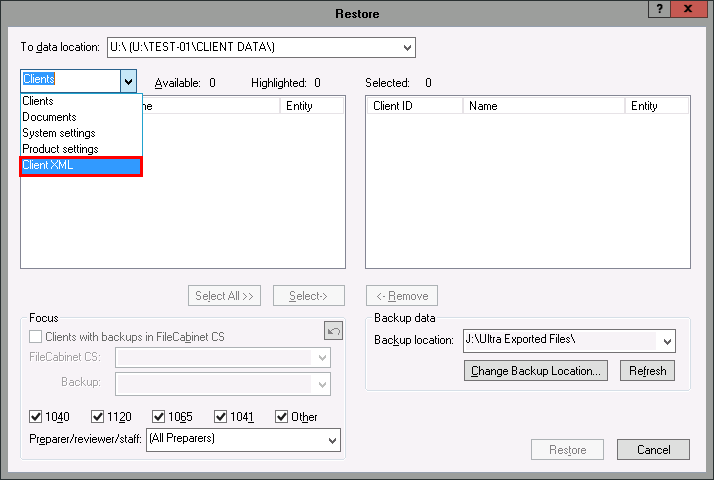
- Select the client you want to restore on the left, and chooseSelect.

- SelectRestore.


