
UltraTax CS Folder selection
UltraTax CS Folder selection can be made with the following steps:
- OpenUltraTax CS.
- On theSetupmenu, selectUser Preferences.
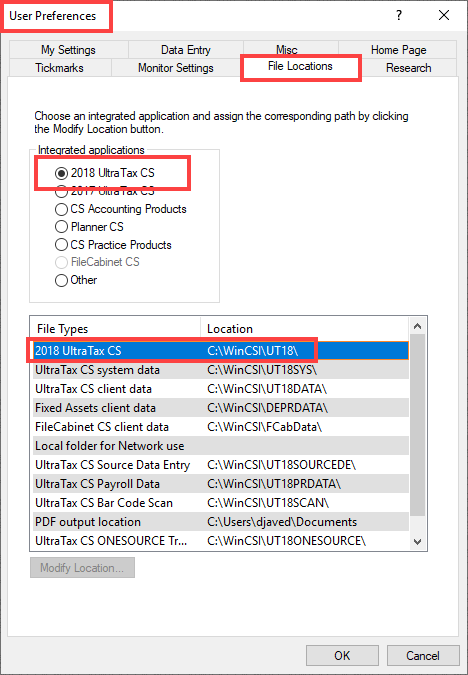
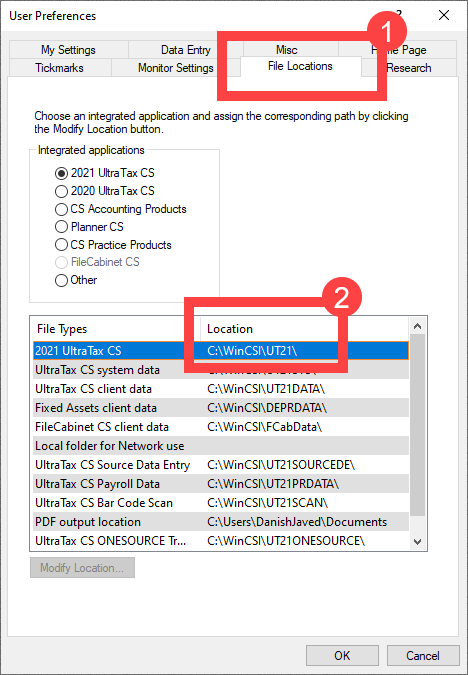
- On theUser preferenceswindow, select theFile Locationstab. Note down the path up to theWinCSIfolder (for example, C:\\WinCSI\).
- Go toFileRoom,Admin,Account Setup,Tax File Activation, thenUltraTax CStab. Select the installation (WinCSI) folder path that appeared in the previous step.
 noteYou can also provide a nickname.
Select this installation path in the
Tax File Activation
Window.
