
2025-08-25 Release (Review Wizard on Web, Leadsheets, API)
Hi there! We have a short update for you today:
1040SCAN Review Wizard on Web launched!
We're excited to announce that Review Wizard for web browsers is now available for beta participants! Firms using 1040SCAN PRO can now open an
In Verification
status binder from FileRoom, you will open a new tab within your browser. From here, you can proceed with the verification process on any operating system with no additional software installation needed!
How can I start using Review Wizard on Web?
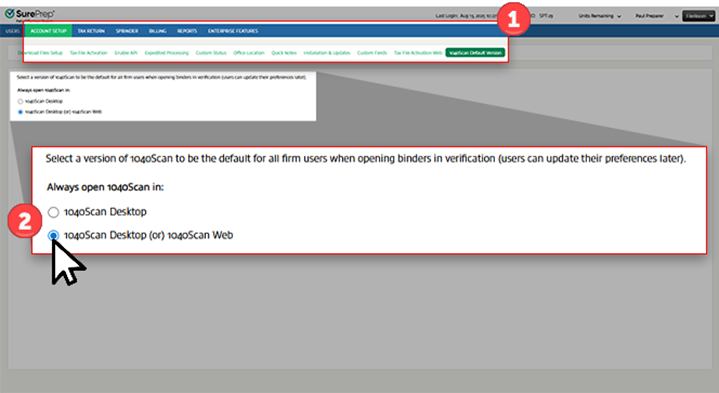
If your firm is interested in using Review Wizard on Web, navigate to
Account Admin
, ACCOUNT SETUP
, 1040Scan Default Version
, then select 1040Scan Desktop (or) 1040Scan Web
.
note
If you select  icon.
icon.
1040Scan Desktop (or) 1040Scan Web
, all firm users will be switched over to 1040SCAN (Review Wizard) Web when they select the Open
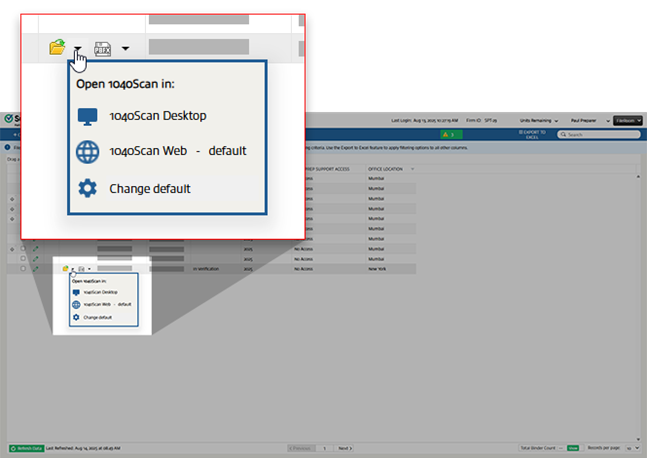
icon.Each user can change their default option in FileRoom. Select the
Options
menu, then select Change default
.
SPbinder: Leadsheet loading preference
In the last release, we released the ability for SPbinder to detect if your binder contains large volumes of reference information (e.g., multiple Schedule K-1s, W-2s, etc.) that could slow down loading time for Leadsheets, allowing you to select the Leadsheets loading preference.
We have updated the
Leadsheet Loading Preference
dialog with improved user interface.- Load Quick: Temporarily omit specific, large data sets (such as certain Schedule K-1s, W-2, etc.) from the Leadsheet calculations for this session, resulting in faster loading.
- Load All: Load all reference data into the Leadsheet (may result in longer loading times).
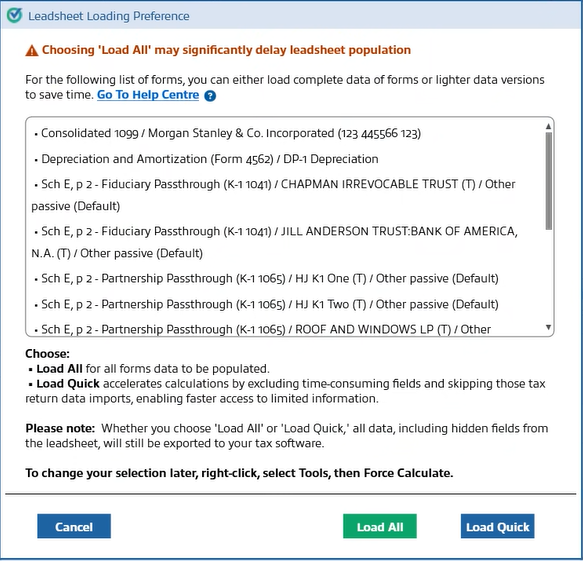
Furthermore, in Leadsheets, you can now select
Load Quick
to view which forms were omitted from calculations.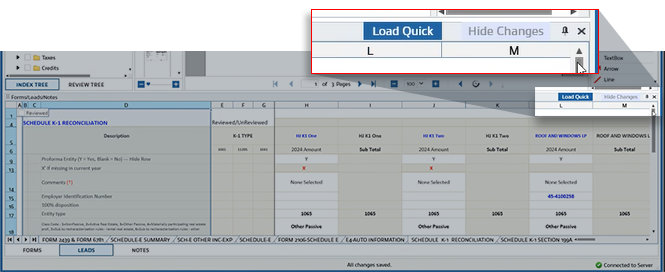
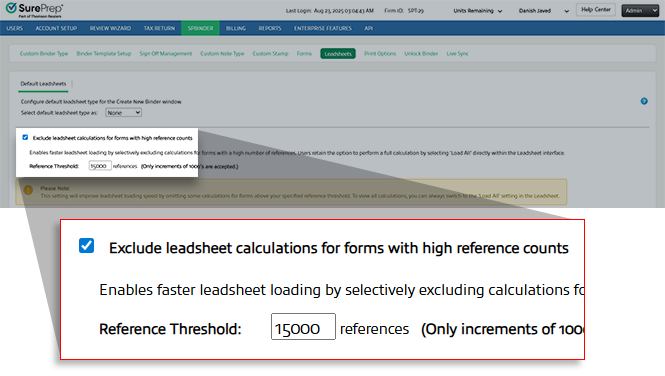
Your firm can set how much information a form needs to have before SPbinder shows a user the options for loading preference.
To modify the threshold, browse to
Admin
, SPbinder
, Leadsheets
, then select Exclude leadsheet calculations for forms with high reference counts
.
API enhancement: Review Wizard options linked to Office Location
Each office location within your firm can now configure their own Review Wizard settings for API binders, enabling you to tailor the system to meet the unique needs of different locations.
Go to
Account Admin
, REVIEW WIZARD
, then Indexing Options
to make your selection from the Select an office location to customize its Review Wizard options
dropdown.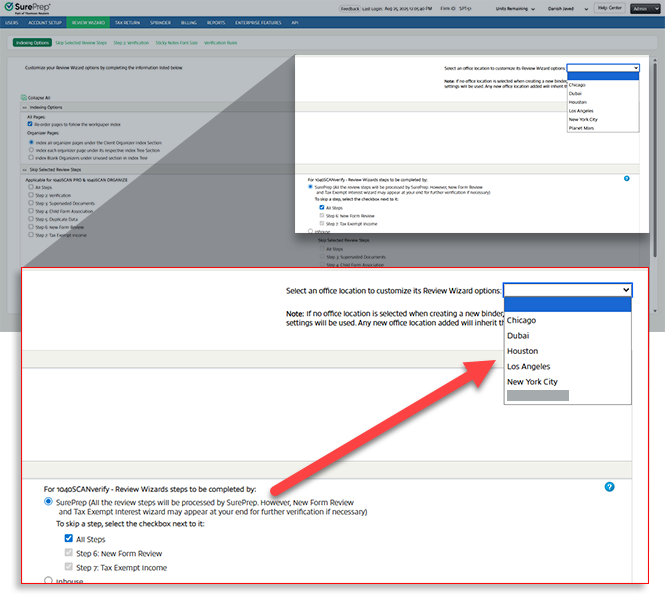
API enhancement: Enhanced export control
We've introduced new flexibility for exporting data after verification. You can automatically export API binders to your tax software like you do today, or, if you prefer, you can now manually control the export process. This allows you to choose the workflow that best suits your firm's operations.
To configure your export options, go to
Account Admin
, API
, Firm Defaults
, then Tax Software
and select the Automatically export the data to tax software on completion of the verification process
checkbox to enable this export option.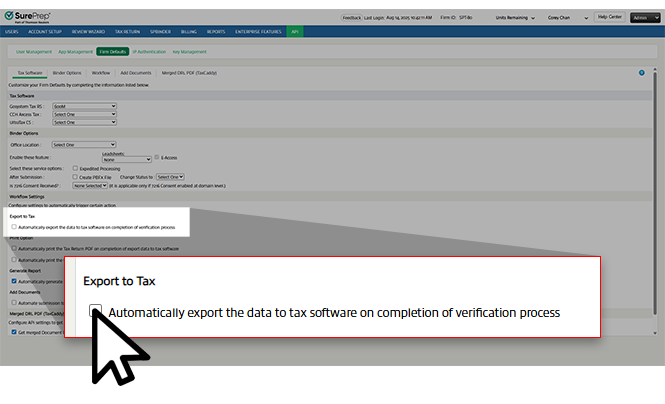
Related Content
-
1040SCAN release notes
Format: Article

