
Step 2 - Verification
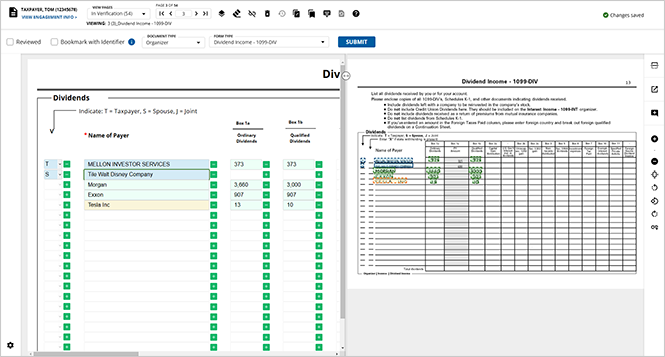
Once you finish step 1 pre-verification, you're onto step 2 verification. Displays all uploaded pages for you to verify for accuracy. Here you can view a side-by-side view of document and text field with value captured by optical character recognition (OCR). Make any necessary corrections or added new values that were overlooked. Can also review document associations and manually associate non-standard documents.
Engagement information
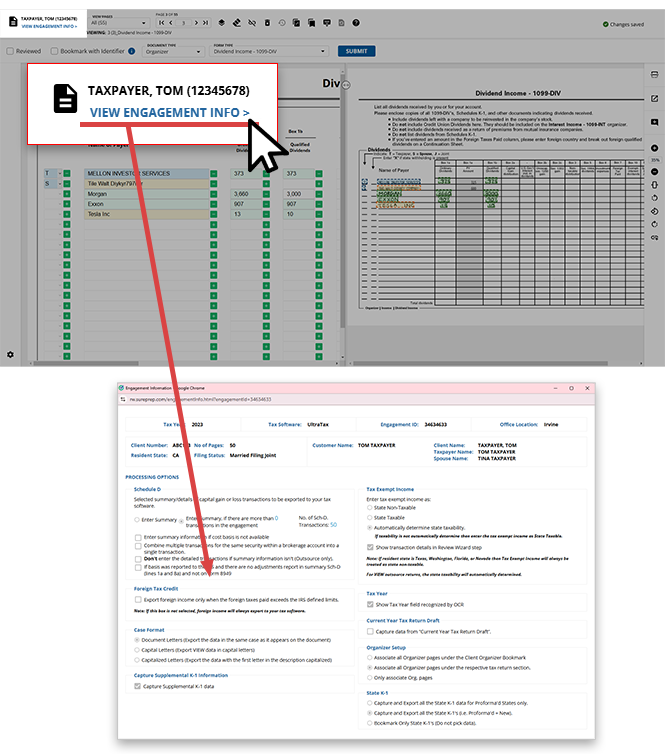
Review Wizard will display the name and engagement ID of the client you're currently viewing. Users can select
VIEW ENGAGEMENT INFO
to open the Engagement Information
window to view the full information for this client including Client Number
, Filing Status
, PROCESSING OPTIONS
.
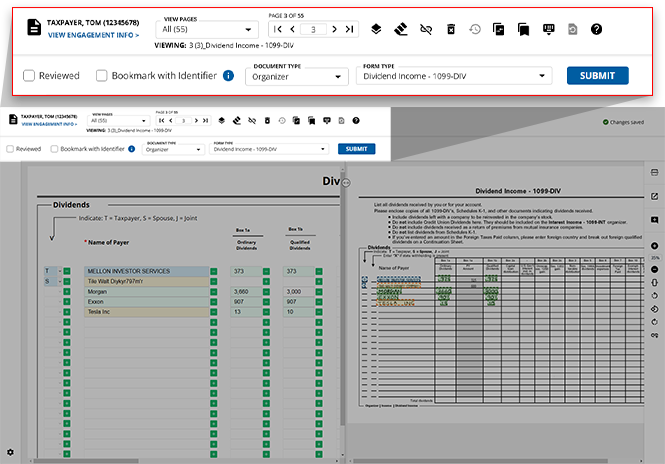
Verification wizard toolbar
Once past pre-verification, you're onto the verification step. With verification, you have access to additional features to streamline the process.
Accepted source documents
SurePrep only captures information for the following standard documents:
- IRS Forms
- Tax application organizer pages
- Consolidated Brokerage Statements (for example, 1099-B)
- Grantor Letters
- Government output forms (for example, Form 1040)
- Non-standard documents won’t have any information captured.
note
Non-standard documents won’t have any information captured.
Related Content
-
Review Wizard on Web is here!
Format: Article

