
2025-1-21 (Beta access to document Auto-Categorization is here!)
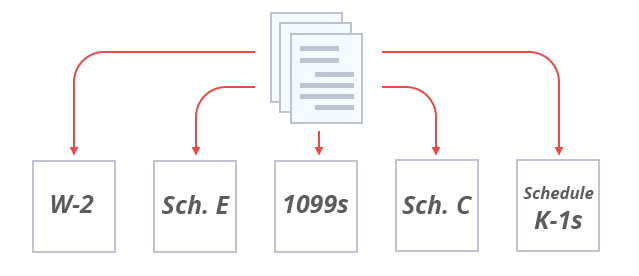
Exciting news! We're thrilled to announce the beta launch of Auto-Categorization in TaxCaddy – a game-changer that uses TaxCaddy's AI  to save you time and effort this tax season! Imagine effortlessly sorting through client documents and automatically addressing the Document Request List (DRL). With Auto-Categorization, that dream becomes a reality. Enable Auto-Categorization within your client's profile, and our powerful AI will analyze and categorize each uploaded document, even separating multi-document files into their respective forms and subcategories!
to save you time and effort this tax season! Imagine effortlessly sorting through client documents and automatically addressing the Document Request List (DRL). With Auto-Categorization, that dream becomes a reality. Enable Auto-Categorization within your client's profile, and our powerful AI will analyze and categorize each uploaded document, even separating multi-document files into their respective forms and subcategories!
Beta Access Available Now!
Be among the first to experience this feature! To enable Auto-Categorization for your firm, please contact SurePrep Support.
note
- Enabling Auto-Categorization will enable this feature for both you and your clients.
- For certain documents, Auto-Categorization may not match all records to their categories or DRL items. However, TaxCaddy's AI-powered Auto-Categorization learns from your actions and improves the results over time.
- Please allow for 1-5 business days from the time of contact to see this feature enabled within your firm.
Key Features
- Smart Sorting: Automatically assigns documents to appropriate categories and tax forms (if matched)
- Multi-Document Handling: Effortlessly splits larger files containing multiple documents
- Automatically addresses DRL: Our AI examines each document's content and attempts to match it with its corresponding DRL item.
How It Works
When uploading a client's documents, you will now see the ability to leverage TaxCaddy's AI via the Auto-Categorization toggle within their profile.
via the Auto-Categorization toggle within their profile. Enable the feature in your client's profile, then upload documents.
Auto-Categorization (Beta)
feature in your client's profile, then upload documents.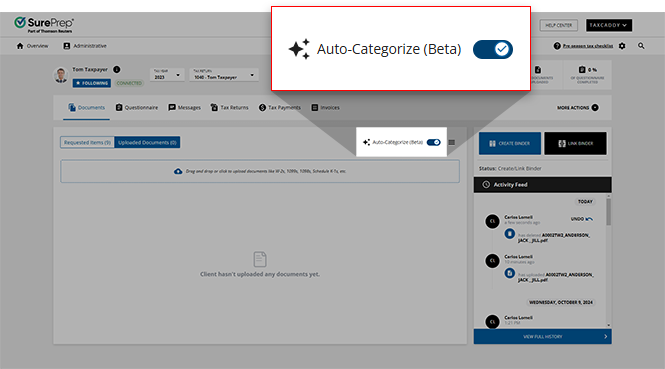
note
This feature is currently only available to beta testers who have contacted SurePrep Support and shown their interest in using Auto-Categorization. If you'd like for your firm to opt into joining the beta testing group, please contact SurePrep Support.
Watch as TaxCaddy's AI works its magic, saving you valuable time and effort! The Document upload in progress notification will appear in the bottom left of your screen.
works its magic, saving you valuable time and effort! The Document upload in progress notification will appear in the bottom left of your screen.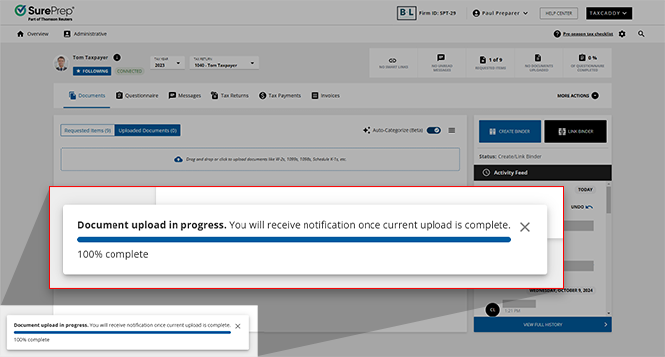
Auto-Categorization will analyze and sort each document into its appropriate tax forms, even splitting larger files that contain multiple documents into their appropriate categories and subcategories.
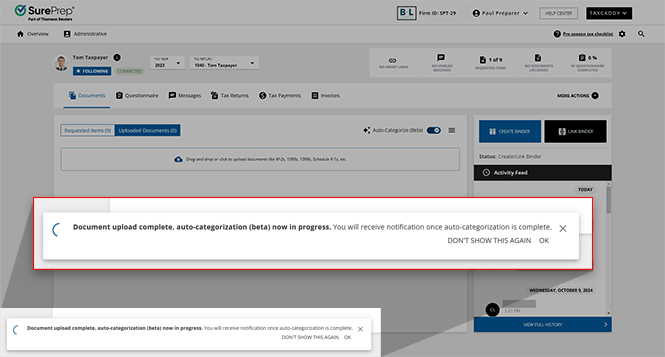
Now that the upload and auto-categorization processes are complete, the Auto-Categorized documents will appear under their respective categories under the Uploaded Documents tab. An  badge will appear in the new Categorization column to quickly and easily signify to users which documents were auto-categorized at a glance.
AUTO
badge will appear in the new Categorization column to quickly and easily signify to users which documents were auto-categorized at a glance.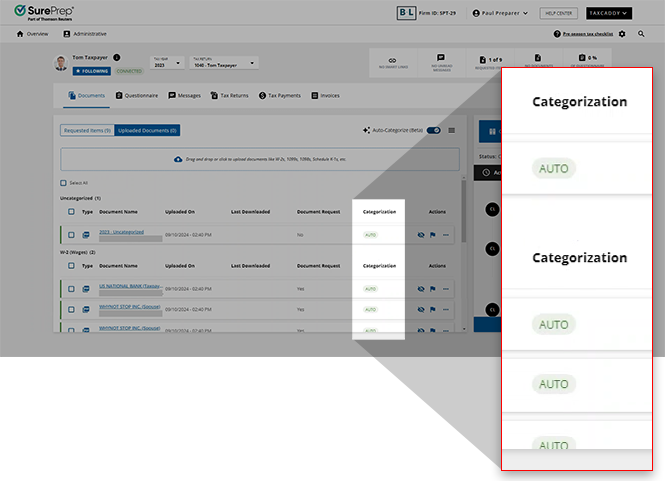
note
If you believe your firm would benefit from implementing Auto-Categorization and would like to opt into the beta testing group, please contact SurePrep Support to initiate the process!
Related Content
-
TaxCaddy release notes
Format: Article

