
2025-11-24 (Taxpayer TaxCaddy content has migrated)
Taxpayer TaxCaddy content has joined Thomson Reuters Help & Support
Hi everyone! Here's what's new in TaxCaddy this month:
- TaxCaddy content migration
TaxCaddy content migration
axpayer TaxCaddy help center content has been published alongside other Thomson Reuters product documentation on their Help & Support platform.
note
Starting November 17, 2025, the taxpayer's Support email address has changed to taxcaddy.support@thomsonreuters.com
Users can contact the Support team for assistance locating any documentation that they're having difficulty finding.
Navigating to taxpayer TaxCaddy content
To view the taxpayer's TaxCaddy content, select
Tax & Accounting
from the Industry
dropdown, then select TaxCaddy
from the Product
dropdown on the Help & Support
page.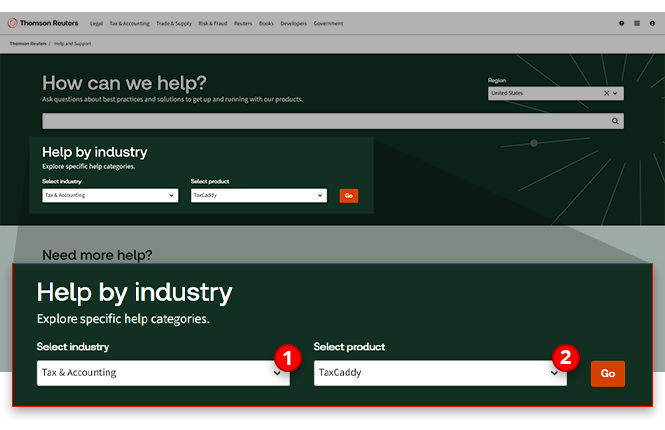
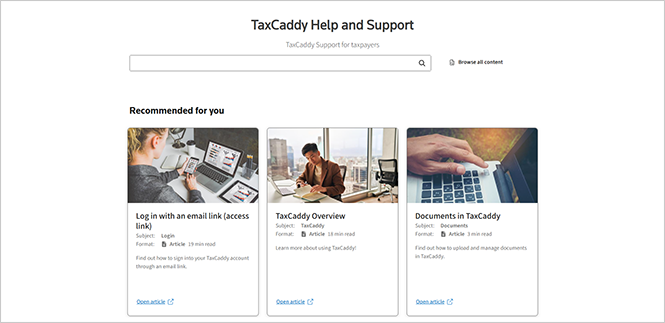
New location, same articles
Despite the new location of the documentation, the content that has helped guide your clients through their TaxCaddy experience will remain the same. In an effort to make the transition as seamless as possible, our team has worked to preserve the same content and article structure your clients have grown used to.
FAQ
- Will all of the same content be available in Help & Support?All articles currently available in the taxpayer help center will be migrated to Help & Support. Not only that, but to reduce any confusion when taxpayers are looking for an article, the structure in which the articles are ordered will remain the same as well.
- Will my clients be able to access the old help center after November 24th?No, once the content is available in Help & Support, users will no longer be able to access pages within the old help center.
- Will my clients' saved bookmarks and links still work?Any links that previously directed you to an article in the previous help center will now redirect you to the homepage of the new Help & Support page. We recommend that your clients note which articles they currently have saved, so that they will be able to bookmark them again in the new location!
- How can I find the taxpayer TaxCaddy content in Help & Support?Users can find the taxpayer's TaxCaddy content in the dedicated TaxCaddy section. From the Help & Support homepage, selectTax & Accountingfrom theIndustrydropdown. Then selectTaxCaddyfrom theProductdropdown and selectGo.
Related Content
-
TaxCaddy release notes
Format: Article

