
Backup Canon DR-M260 or Canon DR-C240 with Capture Perfect 3.1
note
Canon DR-C240 and Canon DR-M260 follow the same backup process.
Once you are done with the manual settings and created a profile, you can follow these steps to make a backup:
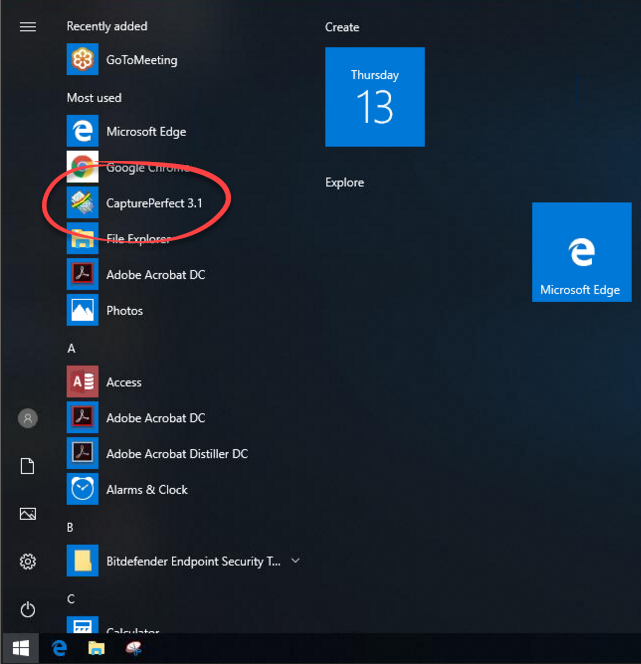
- Go to theStartmenu and openCapture perfect 3.1from the program list.
- On theScanmenu, selectSelect Scanner.

- When theSelect Scannerwindow appears, selectCanon DR-M200and selectOK.

- On theScanmenu, selectScanner Setting

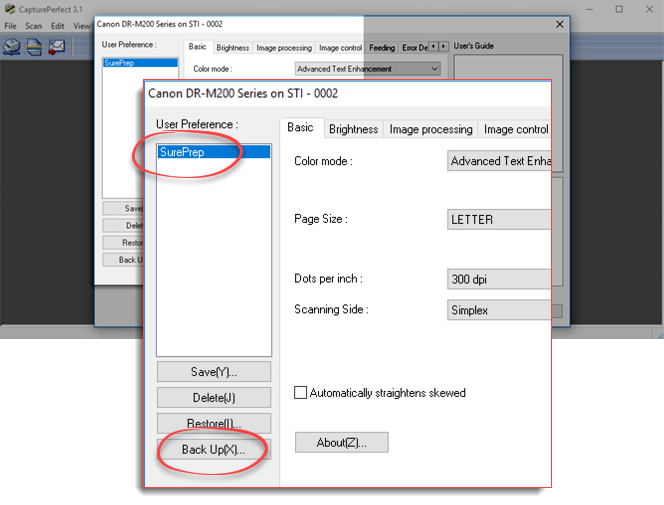
- When theScanner settingwindow appears, selectSurePrepand thenBack up(X).
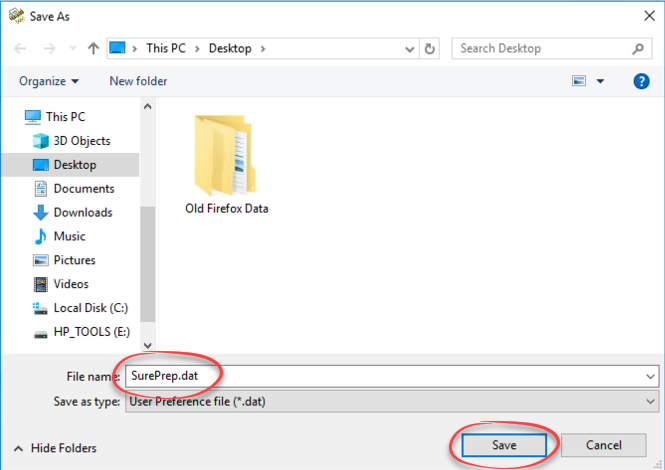
- When theSave Aswindow appears, enterSurePrepunderFile Name,and thenSave.
Related Content
-
Canon scanner setup
Format: Article

