
Restore or import Canon DR-M260 with Capture Perfect 3.1
Follow these steps to restore or import
- Go to theStartmenu and openCapture perfect 3.1from the program list.
- On theScanmenu, selectSelect Scanner.

- When theSelect Scannerwindow appears, selectCanon DR-M200andOK.

- On theScanmenu, selectScanner Setting.

- When theScanner settingwindow appears, selectRestore.
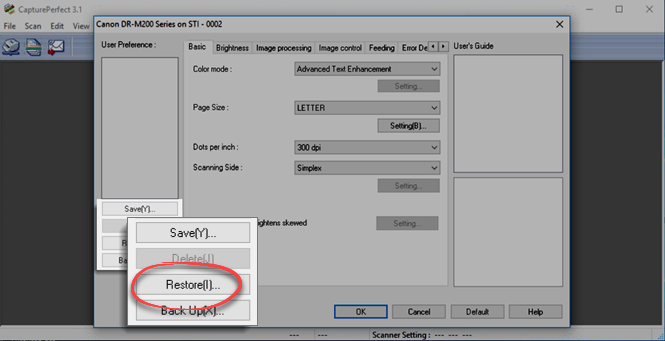
- Select theSurePrep.datfile from the location where you saved your backup, and then selectOpen.
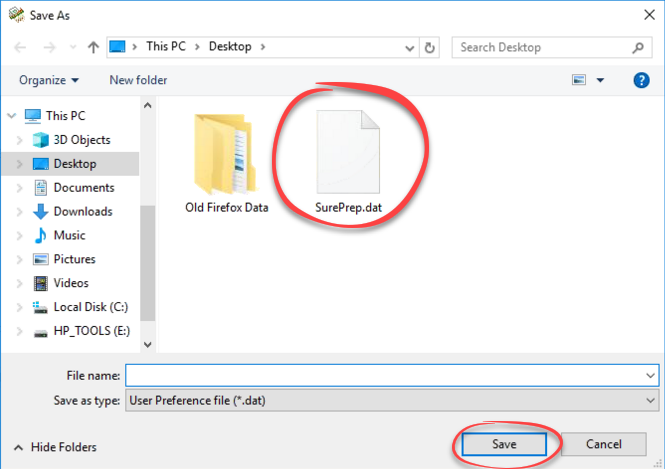
- When theRestorewindow appears, selectYes.
- When theSurePrepprofile is imported, it will appear underUser Preference.
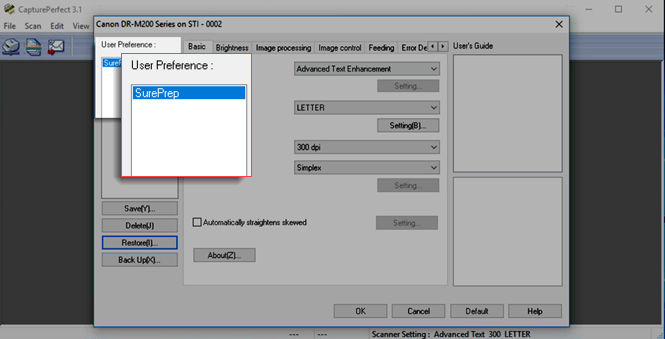
- SelectOKto save changes orCancelto close without saving changes.
Related Content
-
Canon scanner setup
Format: Article

