
Forms (Enable Copy PY values as CY)
In SPbinder, the
FORMS
tab appears for binders created with Classic Leadsheets. You can customize the FORMS
tab based on settings that are currently available.To configure the
FORMS
tab in SPbinder, go to .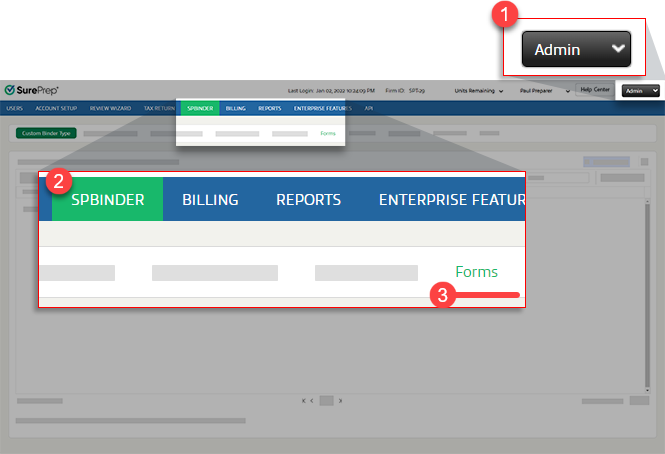
Enabling Copy PY values as CY (SALY)
Copy PY values as CY (SALY) feature can help you prepare for the extension season by letting you copy prior year values for Schedule K-1(1041, 1065, 1120S) as estimates for the current year.
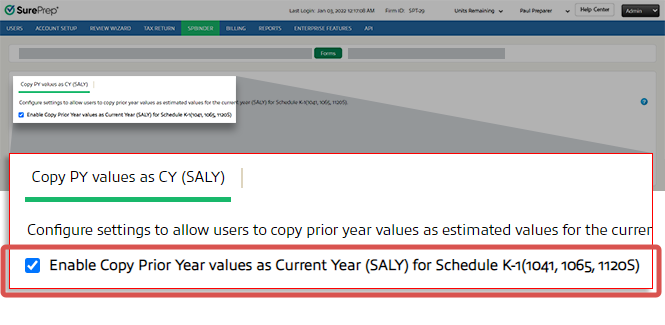
Follow these steps to enable Copy PY values as CY (SALY):
- Select the checkbox forEnable Copy Prior Year values as Current Year (SALY) for Schedule K-1(1041, 1065, 1120S)
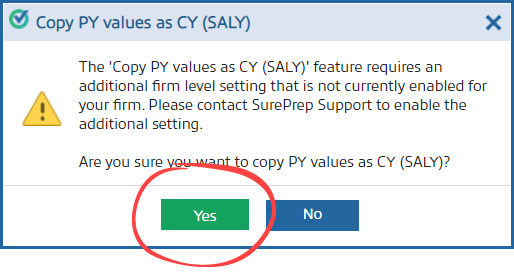
- On the confirmation window, selectYes.noteSome firms may require an additional firm level setting to enable this feature. Contact SurePrep Support if this is your first time enabling this feature.
Related Content
-
Copy PY values as CY (SALY)
Format: Article

