
Transfer ownership and update status
SPbinder ownership can be transferred to another user from either the existing Owner or the Administrator.
To transfer ownership, select on the option
Transfer Ownership / Update Status
from the Edit
menu of SPbinder.
You can also select the  on the Quick Access Toolbar to transfer ownership.
Transfer Ownership / Update Status
icon on the Quick Access Toolbar to transfer ownership.
Ownership of SPbinder can be transferred only if:
- The binder is not in the export process.
- The Review Wizard for that particular job is not open.
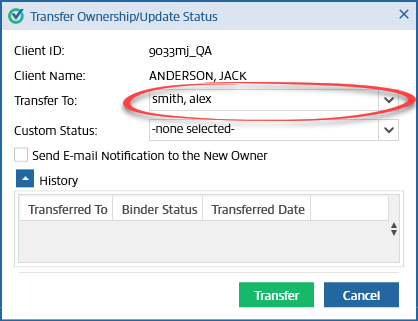
To transfer ownership, select the name of the new owner in the Transfer Ownership window.
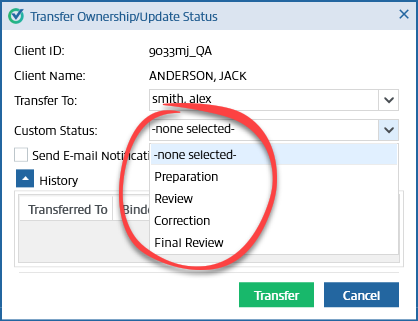
Select the custom status that applies to the selected job.
Select the
Send E-mail Notification to the New Owner
checkbox to send an email notification to the new owner.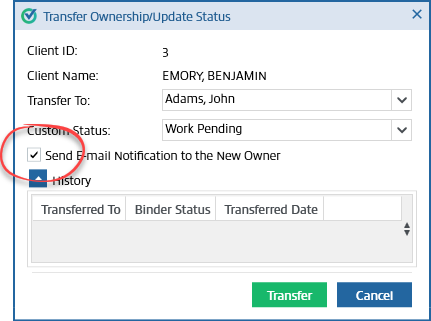
The
History
panel shows the name
, binder status
, and transfer date and time
for the past ownership transfers of the binder.Select
Transfer
to transfer ownership.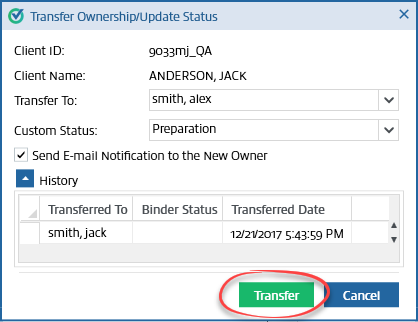
The
Transfer Ownership/Update Status
window will appear. Select OK
. The binder will close.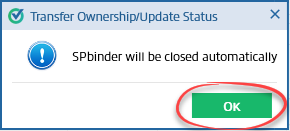
You can also transfer ownership from FileRoom.
Select on the respective Client ID in FileRoom, point to the
Options
column, and select the carat that appears to open a menu. Select Transfer
on the menu to transfer ownership from FileRoom.
note
Changing Owner/Assign Members will sync with TaxCaddy Client Profile and FileRoom binder.

