
Using workpaper shortcuts
You can create a page shortcut for documents that list information for more than 1 area of a return by using the
Add Workpaper Shortcut
feature.Add Workpaper Shortcut
To create a shortcut for a document, check the box for the selected document(s) in the
INDEX TREE
.
Navigate to the index where you would like to place the shortcut. Right-click an index folder or document, point to
Add Workpaper Shortcut
on the shortcut menu, and then choose to select this option.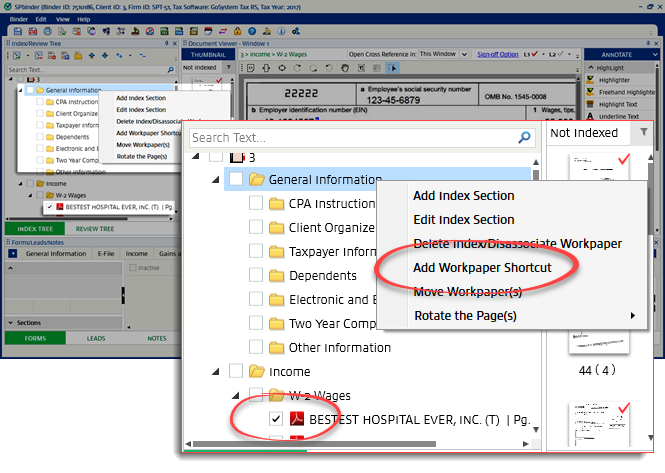
A Workpaper Shortcut  icon will be created under their respective index folder.
icon will be created under their respective index folder.note
Tip
: You can drag the workpaper shortcut up or down to rearrange the order.
Remove Workpaper Shortcut
To delete the workpaper shortcut, right-click the workpaper shortcut, and then select
Remove Shortcut
on the shortcut menu.

