
K-1 Reclass - Add new rows
Follow these steps to add a new row to a line number on a Schedule K-1 Supplemental page:
You can select
ADD NEW ROW
to add a new row.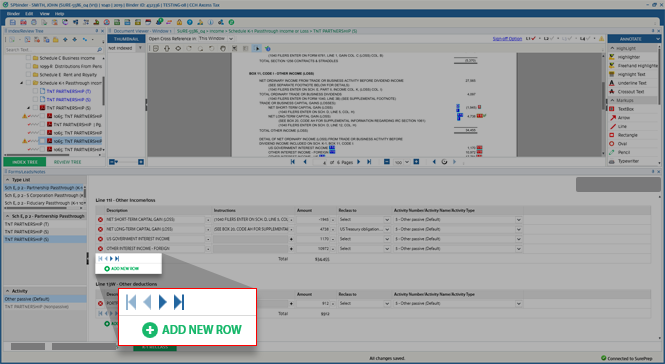
A new empty row will be added at the end of the list. Select the  icon to turn on the OCR selection tool.
Add
icon to turn on the OCR selection tool.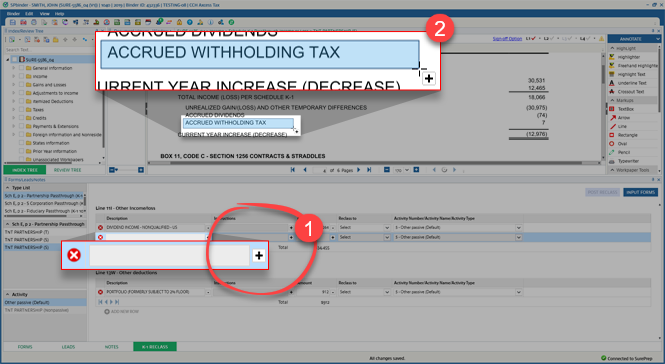
When you point to the source document, you will now see the OCR selection tool  cursor icon. Locate the text associated with that column then select (hold) and drag the mouse pointer until you selected the full text.
cursor icon. Locate the text associated with that column then select (hold) and drag the mouse pointer until you selected the full text.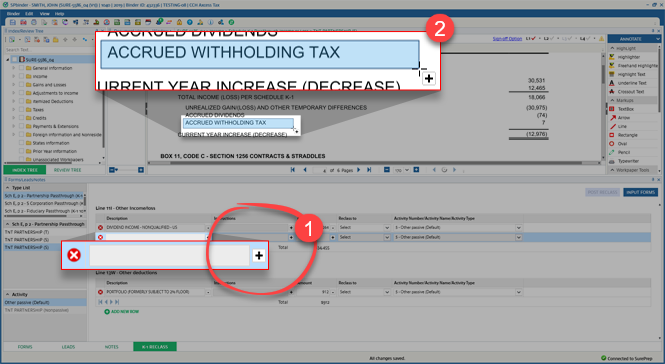
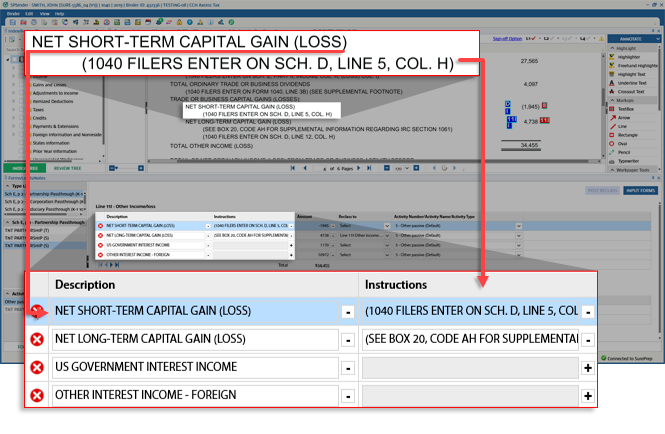
Follow the same steps to OCR the
Description
, Instructions
, and Amount
.
Related Content
-
Use K-1 Reclass
Format: Article

