Schedule K-1 Reconciliation Leadsheet
The Schedule K-1 Reconciliation Leadsheet provides you with a summary view of K-1 data (income, deductions).
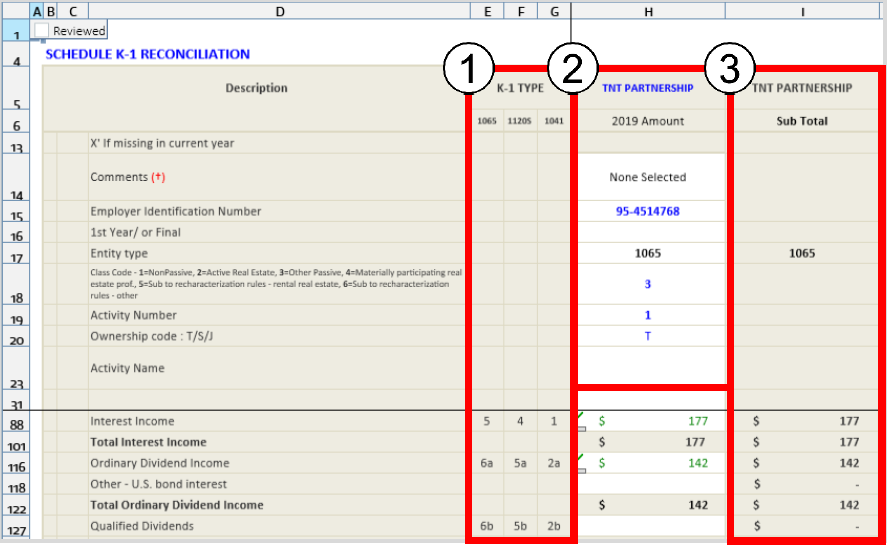
For easy identification of information, Schedule K-1 line/box numbers are available in the
K-1 Type
column.The top of the Leadsheet will display the K-1 information, such as activity number, name or type, and partnership name, for the return on which you are working.
An entity will have columns for each associated activity. For each row, totals of all activities related to one entity will be calculated and displayed in the Sub Total column. Any addition or deletion of activity in the binder will be reflected in the Leadsheets.
Item L
– Reconciliation of Income uses income and deduction amounts from various parts of the federal K-1 page and supplemental pages to calculate Item L
amounts. This amount should match the amount reported on the K-1 document. If there is a difference between the Leadsheet calculated Item L
amount and the amount displayed on the document, the discrepancy can be reported manually.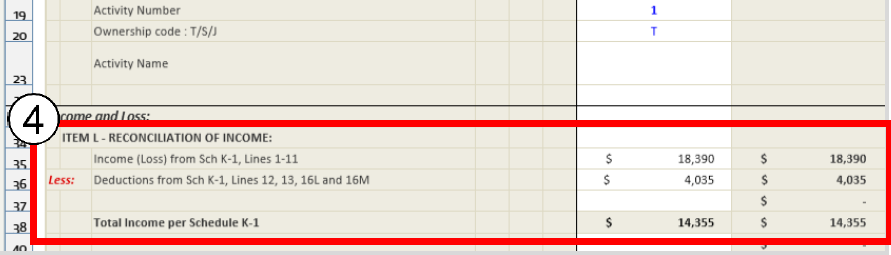
The amount for each K-1 and its activities are calculated at the bottom to show the amount that transfers to
Schedule E, Page 2
of the tax return.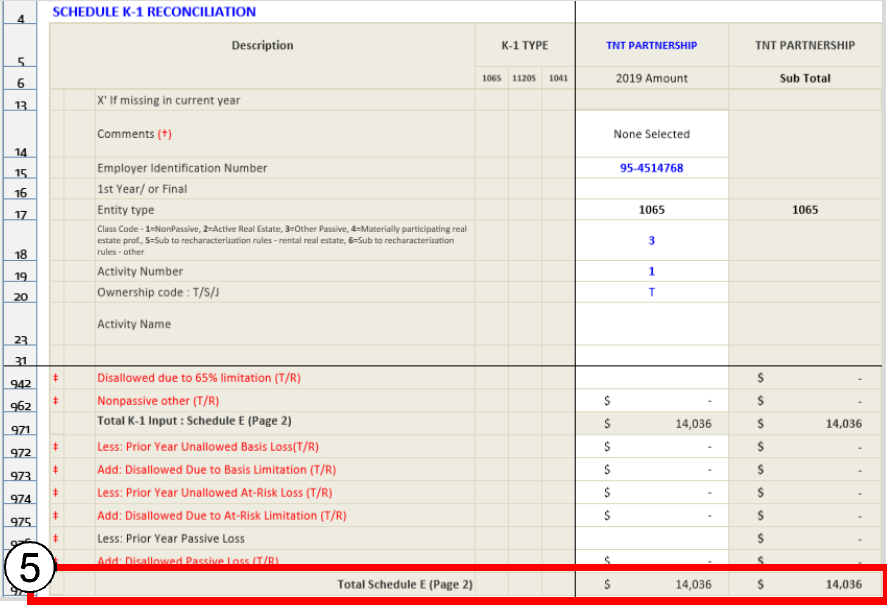
Each line on the K-1 leadsheet that transfers to another leadsheet has the
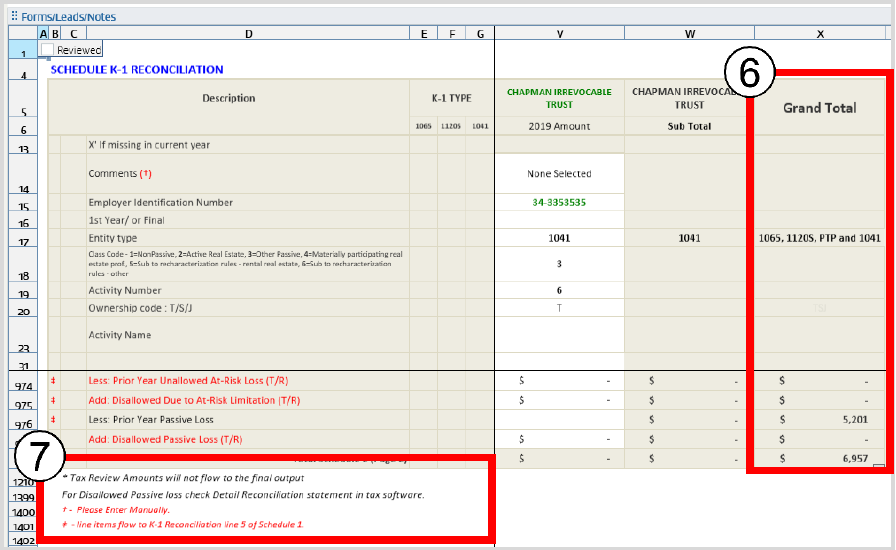
Grand Total
column. The Grand Total
number is added to the next leadsheet as a single amount.At the bottom left of the K-1 Reconciliation leadsheet, you will see explanations for the different symbols used throughout the sheet.
For GoSystem Tax binders only:
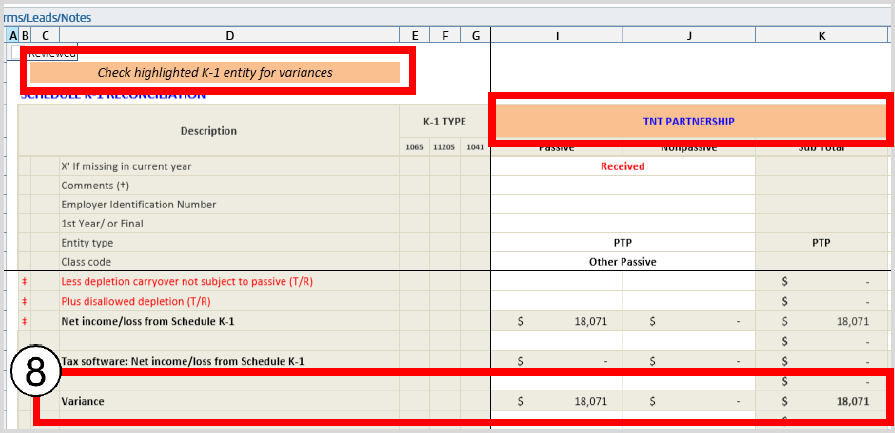
A highlight will appear for entities with variances. If a K-1 entity has a variance in the current year, then that entity name will be highlighted in the Leadsheet.
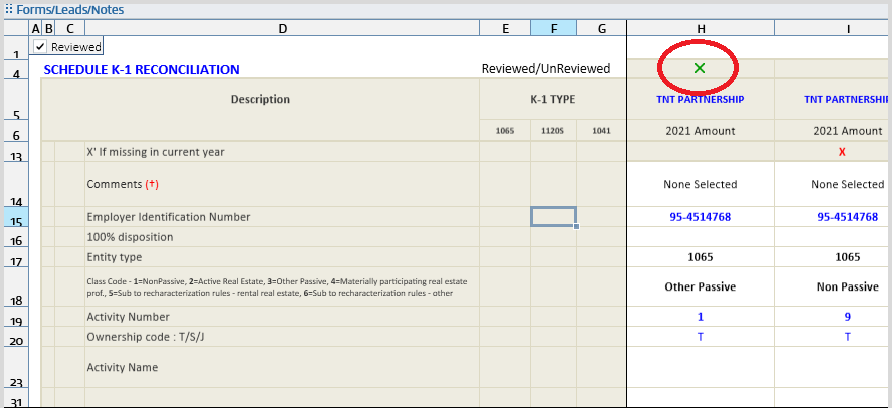
Once all the fields for a particular activity are reviewed, a green X appears in the Reviewed/Unreviewed row.