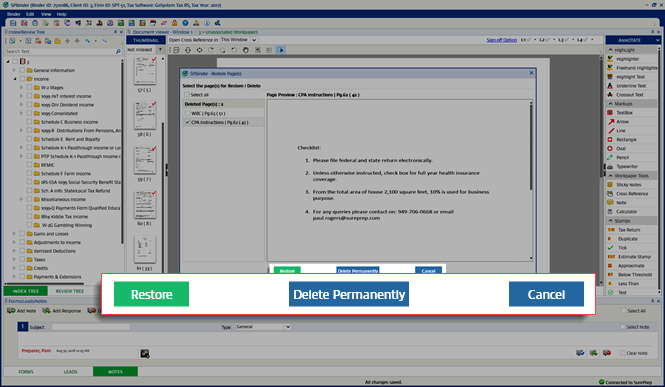
Restore pages
The Restore Pages feature lets you restore deleted pages. You can restore single as well as multiple pages using the Restore Pages feature.
To restore pages, select
Binder
on the menu, then Restore Pages
from the drop menu.note
You can also select the  on the SPbinder toolbar.
Restore Pages
icon on the SPbinder toolbar. 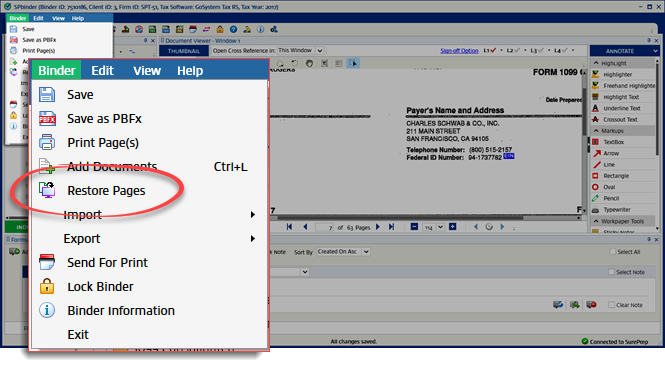
The
Restore Pages
window will appear with 2 panels:- Deleted Page(s): Shows a list of deleted pages along with their Index and page number.
- Page Preview: Shows a preview of the most recently selected page on theDeleted Page(s)panel.

You can manually select the pages you want to restore from the
Deleted Page(s)
panel or you can mark the Select all
checkbox to select all pages simultaneously.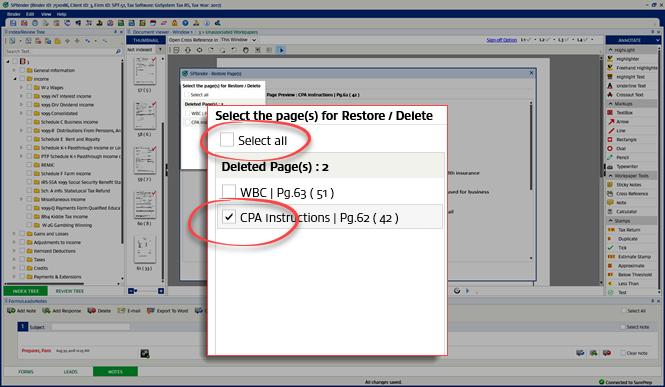
To restore the selected pages, select
Restore
.To delete the selected pages permanently, select
Delete Permanently
.To cancel and close the window, select
Cancel
.