
Word document conversion to PDF
Overview of how Word documents are converted to PDFs when uploaded to SPbinder.
Any Word document uploaded to SPbinder through a supported channel — such as FileRoom, TaxCaddy, GFR, or the SurePrep API — will now be automatically converted to PDF. This applies regardless of how the document is uploaded, whether through Create New Binder, Add Document, drag-and-drop, or a Binder Template, creating a more consistent and seamless experience throughout your binder workflow.
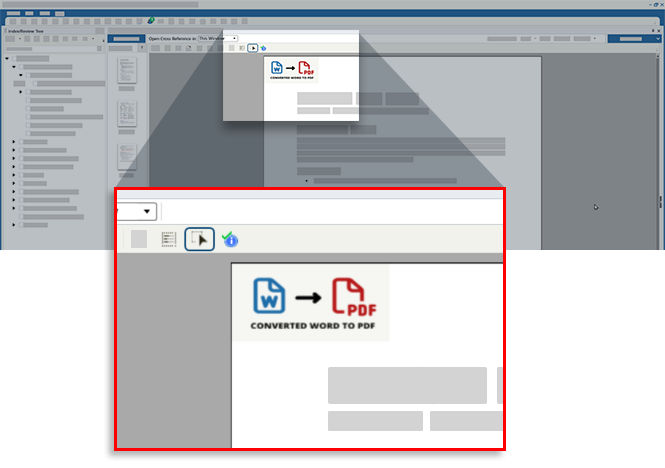
Converted documents will display a "Converted Word to PDF" stamp within SPbinder, which can be toggled on or off using the existing Show/Hide Annotation controls.
When uploading the Word document through SPbinder, a notification appears next to the
Select Source Document
section alerting you of the conversion.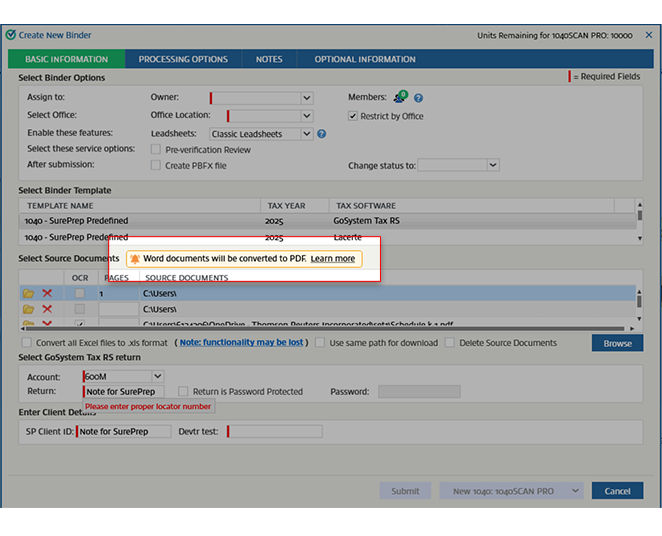
note
- Converted PDFs are excluded from the verification queue and treated as non-OCR documents.
- Each page of the original Word document is rendered as a separate thumbnail, just like in standard PDFs.
Related Content
-
Word Formatting (.doc/.docx files)
Format: Article
-
Word limitations in SPbinder
Format:
Article

